Streaming Guides
How to add heart rate to your speedrun
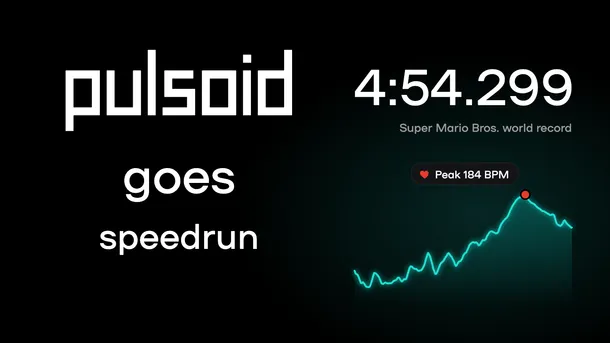
Learn how to show your heart rate next to your timer in OBS with Pulsoid, share a heart rate report of your run, and see famous speedruns with heart rate on screen.

Learn how to show your heart rate next to your timer in OBS with Pulsoid, share a heart rate report of your run, and see famous speedruns with heart rate on screen.
Want to show your heart rate from your PC? The Pulsoid Desktop app for Windows allows you to stream your real-time heart rate directly to Twitch or display it on VRChat. The Windows app offers exclusive features not available on mobile, including: Discord BPM Activity: Display your live heart rate as your Discord status. VRChat OSC Integration: Send heart rate data directly to your VRChat avatar or in the chatbox. Requirements: Windows OS Built-in Bluetooth or a USB Blue
Heart rate overlay on the Geometry Dash mobile game Want to show your heart rate while recording gameplay on your phone? Now you can. In the latest Pulsoid Android app update, you can display your heart rate as a floating overlay on top of other apps. Right now, this feature is only available on Android . It is not supported in the Pulsoid iOS app. Note: Wear OS or Fitbit users need Pulsoid Cloud for this feature to work. Read this guide to learn more. How to Turn On the He
Using OBS to stream one scene while recording another is a common setup for creators who want to add or remove overlays in recordings...
Until now, showing your heart rate on Twitch was only possible with a PC setup. Thanks to the Pulsoid Twitch Extension, you can now display your real-time heart rate on Twitch directly from a PS4 or PS5 — no capture card or extra software needed while streaming. Whether you're playing intense horror games or pushing your limits in a speedrun, your viewers will see exactly how your heart reacts during gameplay. To get started, you’ll need to complete a one-time setup using a P
#### Introduction: A New Way to Share Your Heart Rate on Twitch If you've ever streamed horror games, fitness sessions, or intense boss fights, you know that your heart rate is a great, entertaining addition to your gameplay. Pulsoid has long offered an easy way to show your real-time BPM on stream with OBS —but now there’s a powerful new option designed specifically for Twitch: the Pulsoid Twitch Extension. This extension goes beyond the standard browser overlay. It introduc
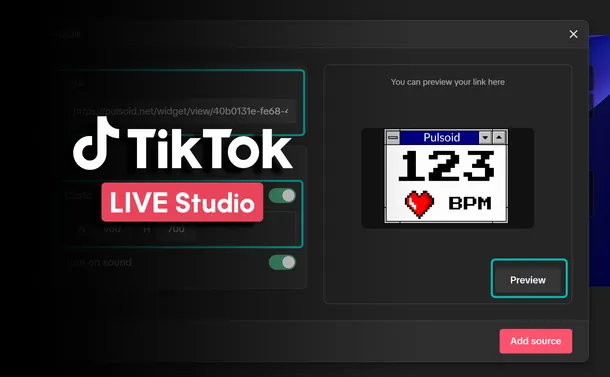
TikTok Live Studio is a live streaming software tailored for TikTok content creators, enabling them to broadcast live video content to their followers and a wider audience. Through TikTok's interactive features, creators can engage with viewers in real-time via comments and virtual gifts, which can be converted into virtual currency. Pulsoid offers the first heart rate tracking solution designed specifically for streamers and gamers. By sharing your heart rate during a live s
This article gives short recommendations of rules you should follow to get the most out of your heart rate monitor. First of all, congratulations on owning the most accurate heart rate monitoring device as this is especially important and visible when you use this data in real-time. Tips before the first use: Check the device tutorial. I know that manuals are not always read, but in case of a heart rate monitor there are chances you see this type of device for the first time
The Pulsoid team believes in convenience as one of the biggest drivers for self-expression. That’s why we keep our set up process as fast and as intuitive as possible. We also try to make all of our widgets self-sufficient, but we would never stop you from mixing and matching as many of them as your heart desires to achieve some cool design and functionality combinations. This is especially true if you consider the sheer number of different types of widgets we have in our eve