Integrations
How to Show Heart Rate on Discord Profile
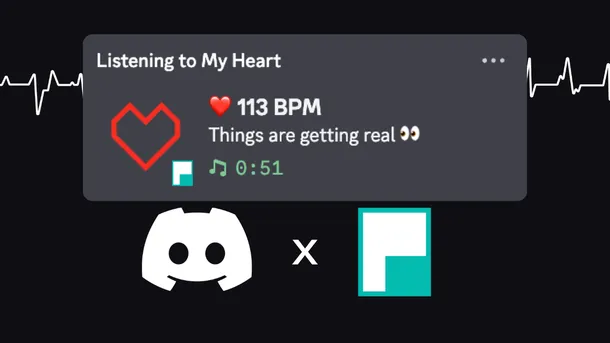
Learn how to show your live heart rate on your Discord profile. Use Pulsoid’s Discord BPM Activity to display real-time heart rate, GIFs, and custom links.

Learn how to show your live heart rate on your Discord profile. Use Pulsoid’s Discord BPM Activity to display real-time heart rate, GIFs, and custom links.
What if your panic could make a game even scarier? In Pilgrim of Darkness , a new co-op horror game on Steam, your real heart rate actually affects what happens on screen through biofeedback . Connect Pulsoid and watch your fear come to life. The higher your stress, the more dangerous the game becomes. Stay calm, and you might have a better chance of surviving. In co-op sessions with up to four players, one person panicking can make things harder for the whole team, creating
Twitch Stream Markers help you quickly find intense moments in your VODs and create Highlights. Pulsoid makes this even better by automating the process. With Pulsoid Stream Markers, a timestamp is automatically added when your heart rate goes above a set BPM. So while you're live, you can focus on what matters most: your stream.How to set up Stream MarkersBefore you start, make sure that you have set everything up and connected your Twitch account.1. Open the Clips & Markers
The GDPulse mod lets you show your heart rate directly in Geometry Dash by connecting Pulsoid to your heart rate monitor or smartwatch. Your BPM appears in real time during gameplay, so you can see how calm or stressed you are during tough levels and fast sections. It’s also great for streams and videos since it adds a more intense vibe. With features like losing the level when your BPM reaches a set number, the mod adds a fun and unique challenge to the game. Who is this mod
Crowd Control is one of the top tools for boosting viewer engagement, allowing audiences to do more than just watch — they get to directly impact the action. By exchanging bits, channel points, or other currency, viewers can cause in-game events like healing the player, summoning enemies, or dialing up the difficulty. This transforms streams into an interactive experience where the audience takes control, making every moment unpredictable and exciting. Now, with Pulsoid’s int
Pulsoid has always strived to give streamers access to a big toolbox for them to play around with on their streams. You know… To mix it up a little👀 Ok, enough with puns. You’ve seen the title image and the headline. Be ready to elevate your content to the next level. Pulsoid, your go-to tool for broadcasting real-time heart rate data, has now integrated seamlessly with Mix It Up, the all-in-one streaming assistant loved by content creators worldwide. Mix It Up is well renow
We are thrilled to announce a new integration with the RaceLab app. For every sim-racing gamer, streamer, and even viewer, this integration introduces a new layer of excitement by merging real-time heart rate data with the virtual race. It's not just about speed on the track; it's about sharing the adrenaline-charged highs and lows of every lap. We think this integration is a powerful tool to forge a deeper connection with the audience. The ability to display heart rate metri
Every streamer needs some help managing their broadcast. Oftentimes you are your own producer, sound editor, actor, and ethics committee for your chat. This can get overwhelming pretty quickly. But some creators manage to make their streams work like a fine tuned machine with good and interactive chat moderation, smooth and witty transitions and scene management, and OBS operation that happens in a heartbeat. Almost as if it all works by itself. Well, chances are these people
There are few things more discouraging for many up-and-coming streamers than a dead chat. Humans are intrinsically social creatures and it just feels natural for us to treat dialogue as a prime way to interact. This is especially true about streaming. It’s arguably the most social type of content there is with instant streamer-viewer interaction being among the most substantial reasons so many people prefer streaming to regular videos. How does one break this cycle of struggl
We always strive for automation at Pulsoid. Why waste your energy and time on micromanagement of technical tasks when these resources could be used for self-expression and creativity? This is especially relevant for many content creators who have to remain involved and entertaining for hours in a one-man band situation. We are really enthusiastic about delegating some of these duties to your heart and even emotions. Beside taking care of interactivity on your stream it also t
Pulsoid is real-time heart rate streaming platform. Pulsoid can obtain heart rate data from Apple Watch, WearOS watches, IOS and Android phones. The goal of Pulsoid API is to hide the complexity of obtaining heart rate and to provide simple, fast, secure and reliable way to transfer this data to 3rd-party developers and applications. The core of Pulsoid Read API is a WebSocket connection. WebSocket is a computer communications protocol that provides communication channels ove
Want to see your heart rate in-game without streaming? Learn how to set up the free Pulsoid Overwolf app for an on-screen heart rate overlay in a few easy steps.
Your voice changes with your emotions—tone, volume, and even small trembles show how you feel. But it won’t make you sound like a baby during a Resident Evil jump scare or a calm robot when nothing scares you… at least not until our Pulsoid x Voicemod integration. Now your heart rate can shape your voice even more. With Voicemod’s full library of modifiers, you can let your heart decide how you sound. Just head to the Pulsoid integration tab, set it up, and start playing with
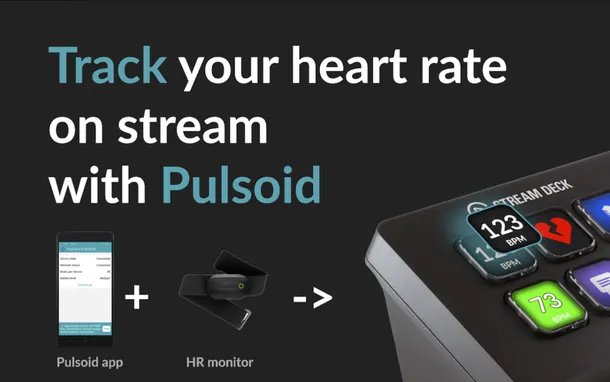
We do our best to make your heart rate streaming experience as smooth-running as possible but no matter how much we do there is always room for improvement. That’s what we thought before starting our Stream Deck plugin development. Imagine, you have some intense gameplay moments and feel curious about what heart rate your viewers see on your stream. One glance at your Stream Deck and your curiosity is satisfied. You’ll also quickly find out if your heart rate monitor has disc
VTubing is a world where creative freedom strives. You can quite literally create your avatar from scratch to better fit your personality. Unfortunately, though, some ways of expression are sacrificed in the process. Human emotions manifest themselves in very complex ways and not all of them can be conveyed to their fullest extent with only face or body tracking and manual tweaks to the avatars’ appearance. Get plugin: https://skeletom-ch.itch.io/vts-heartrate Heart rate dete
We know how immersive VR worlds can feel. We also know how frustrating it is to get yanked out of them every time you need to configure or check on something that is displayed only on your screen. We value streamline experiences and user friendly designs that's why we are big fans of LIV. They do so much for VR content creators it’s hard not to admire their work. And now LIV has Pulsoid integrated into its platform! No need to lift your headset to check what your heart rate i
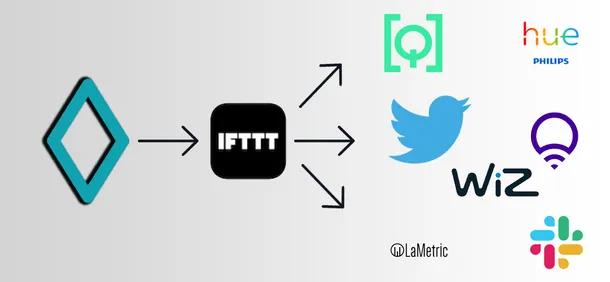
We've got your feedback on the IFTTT webhooks integration and today we are happy to release a second version of this integration to make it more flexible and easy to use. Upgrades: Ranges The core improvement is us moving from the trigger BPM value to ranges. You may be familiar with the heart rate ranges we use in our BPM widgets already: when your heart rate is in a different range the widget design changes. It's almost the same for the IFTTT integration: when your heart ra
Pulsoid can now be connected to Lumia Stream and it will allow your heart rate to interact directly with many aspects of your stream, most importantly, it’ll make it possible for your lighting to respond directly to the changes of your heartbeat. I
We’re adding a new feature to Pulsoid: automated clip creation in Discord 🎉 Pulsoid will automatically clip the moments when your heart rate spikes and post them straight to a selected channel on your Discord server. No fuss. Just a quick setup, and Pulsoid takes care of the rest. How to set it up Open your Pulsoid Dashboard and go to Integrations. Click Add to my integrations. Press Configure Check the Clip enabled box. Add the correct URL for your Twitch channel. Set: Trig
New integration available for Pulsoid BRO users - IFTTT webhooks. Now you can trigger any event with your heart rate by creating a new IFTTT applet Webhook + third party service. IFTTT webhook will be triggered by Pulsoid integration when your heart rate is over some number you choose. There are 2 main things you need to do: Create a new Applet in the IFTTT with Webhook + third party service Set up IFTTT integration in Pulsoid 1. Creating a new IFTTT Applet login into your IF
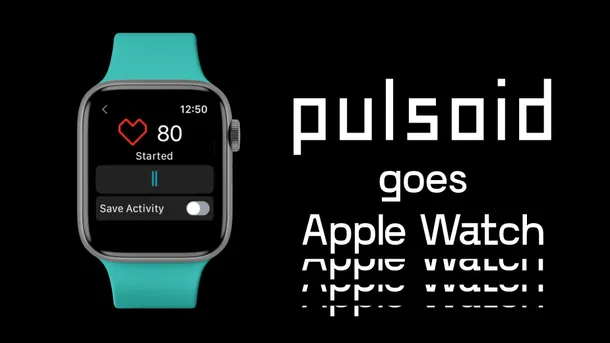
From now on Apple Watches are natively supported by Pulsoid. Download Pulsoid iOS app, grab your WatchOS device, log in and you are good to go. Start showing your heart rate on Twitch, YouTube, Trovo, and Facebook live stream within a minute. Easily configure any of 60+ unique widgets on the Configuration page and add them as a Browser source into OBS, Streamlabs Desktop, Twitch Studio, XSplit or other broadcasting software. How to start streaming with Apple Watch? Install a