Pilgrim of Darkness: Co-op Horror Game That Reacts to Your Heart Rate

What if your panic could make a game even scarier? In Pilgrim of Darkness, a new co-op horror game on Steam, your real heart rate actually affects what happens on screen through biofeedback. Connect Pulsoid and watch your fear come to life.
The higher your stress, the more dangerous the game becomes. Stay calm, and you might have a better chance of surviving.
In co-op sessions with up to four players, one person panicking can make things harder for the whole team, creating tense, unpredictable, and often hilarious moments that are perfect for Twitch and YouTube streaming.
What You’ll Experience in Pilgrim of Darkness
Explore a dark fantasy world filled with cursed locations. You and your team play as members of the Cult of Light, traveling through abandoned villages, strange ritual sites, and lands inhabited by demons. Resources are scarce, and enemies are powerful, so survival often depends on stealth, teamwork, and careful planning rather than direct combat.
How Pulsoid Integration Works
With biofeedback enabled, the game reacts to your real heart rate:
- Enemies detect you more easily when your heart rate rises
- Panic causes mistakes, like dropping items while running
- Visual and sound effects intensify as your stress grows
Every encounter can play out differently depending on how calm or stressed you are, making the game feel alive in a way no traditional mechanic can match.
How to Set Up Pulsoid Integration
- Connect a supported heart rate monitor to Pulsoid. If you’re new to Pulsoid, check the setup guide.
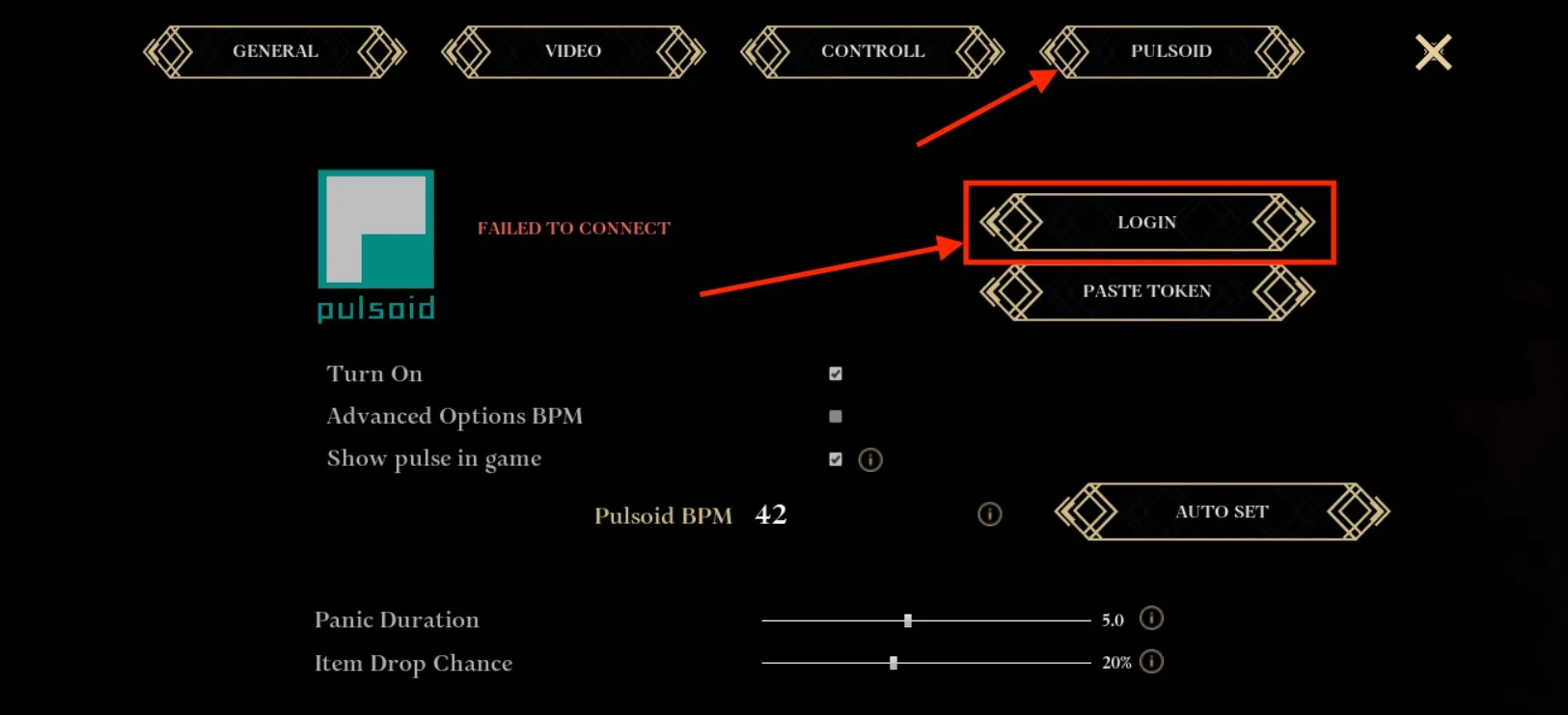
- In Pilgrim of Darkness, go to Options and open the Pulsoid section.
- Click the Login button. This will open your browser with an authorization page.
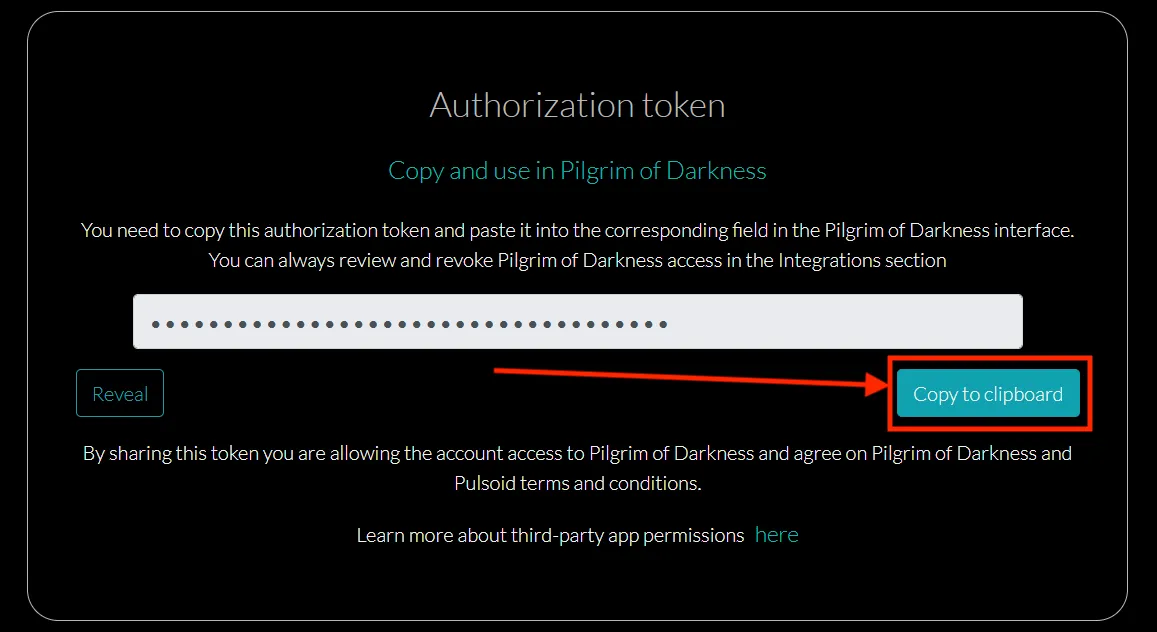
- In the browser, click Copy to Clipboard to copy your authorization token.
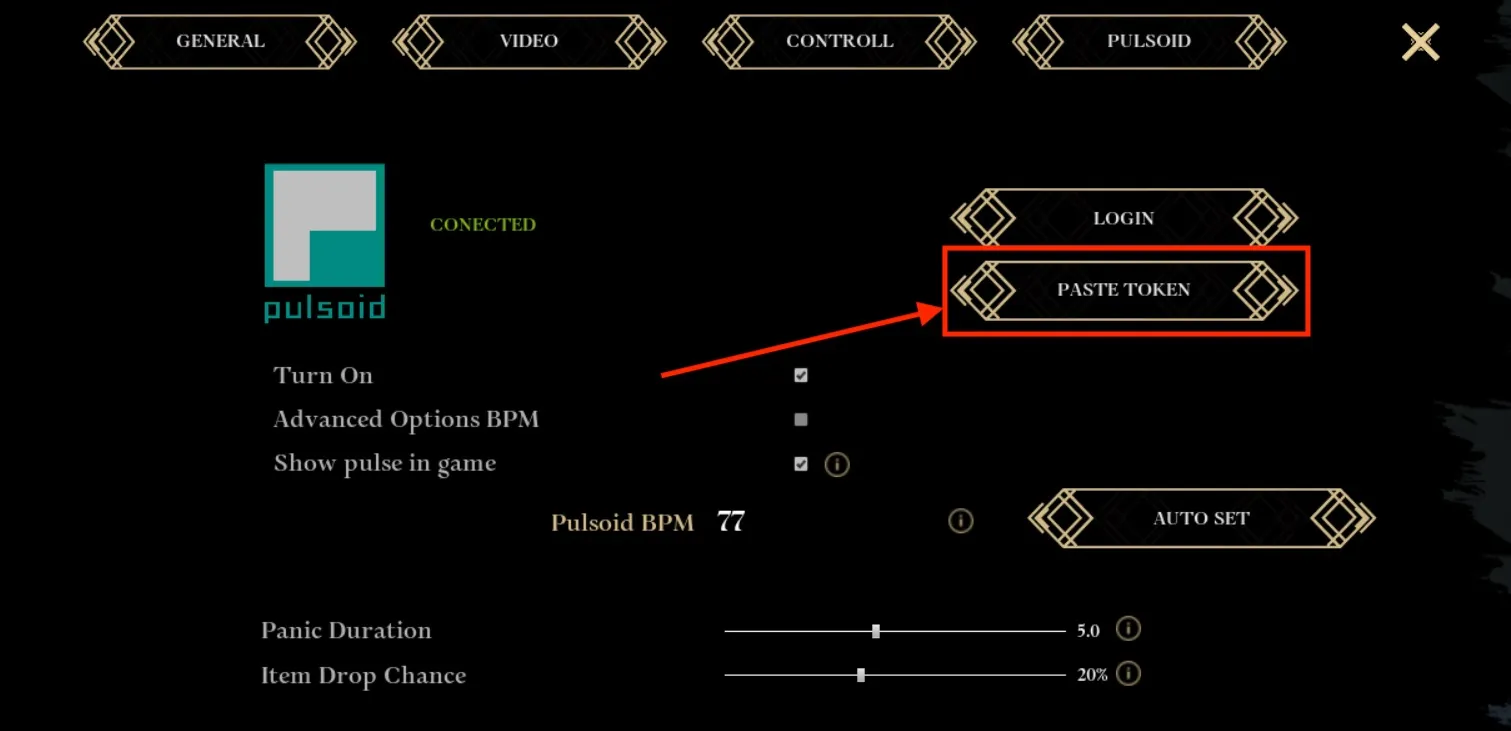
- Go back to the game and click Paste Token. The token will be pasted and your Pulsoid account will connect automatically.
-
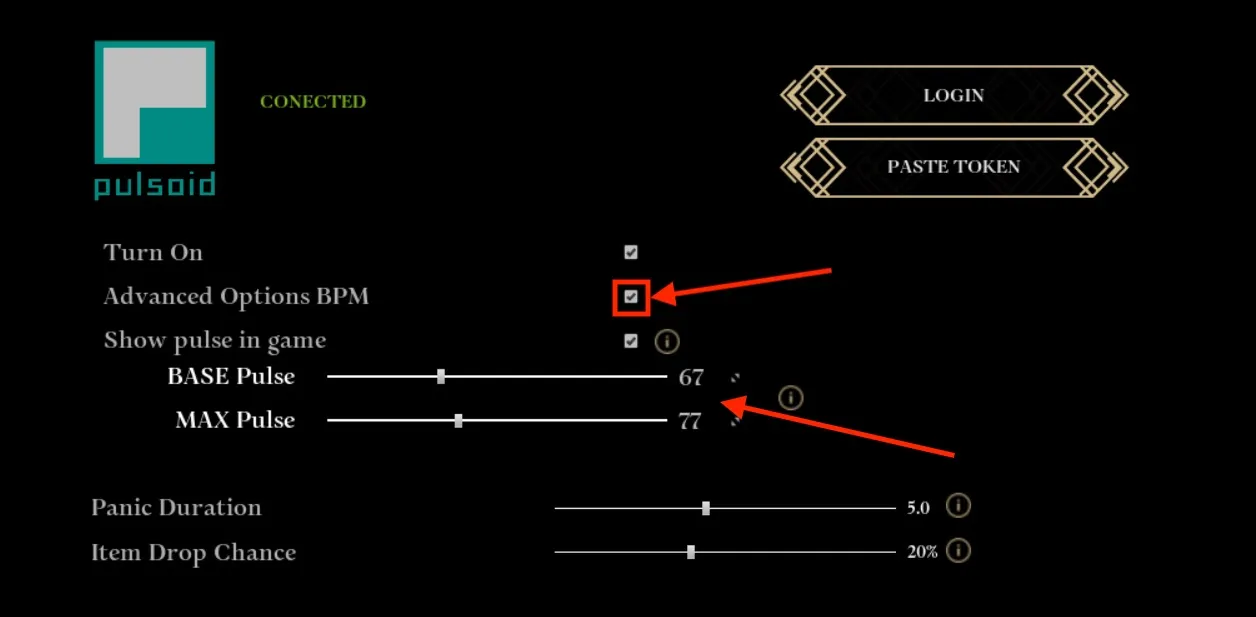
Set your Base Pulse and Max Pulse. The Max Pulse is the heart rate threshold where the in-game effects kick in, so it’s worth setting carefully:
-
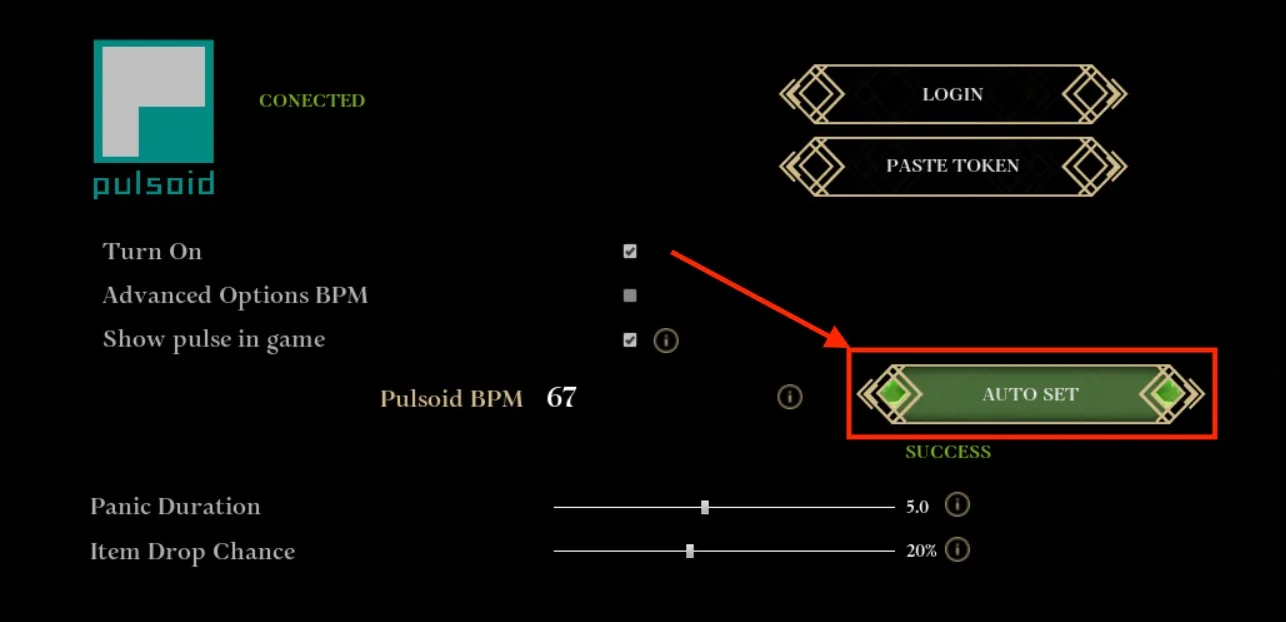
Click Auto Set to set your Base Pulse to your current heart rate and Max Pulse to +10 BPM above it (your heart rate monitor must already be sending data).
-
Or check the Advanced Options BPM checkbox to set them manually using two sliders. If you have been using Pulsoid for a while, check your heart rate stats on the Reports page to help pick the right values.
-
-
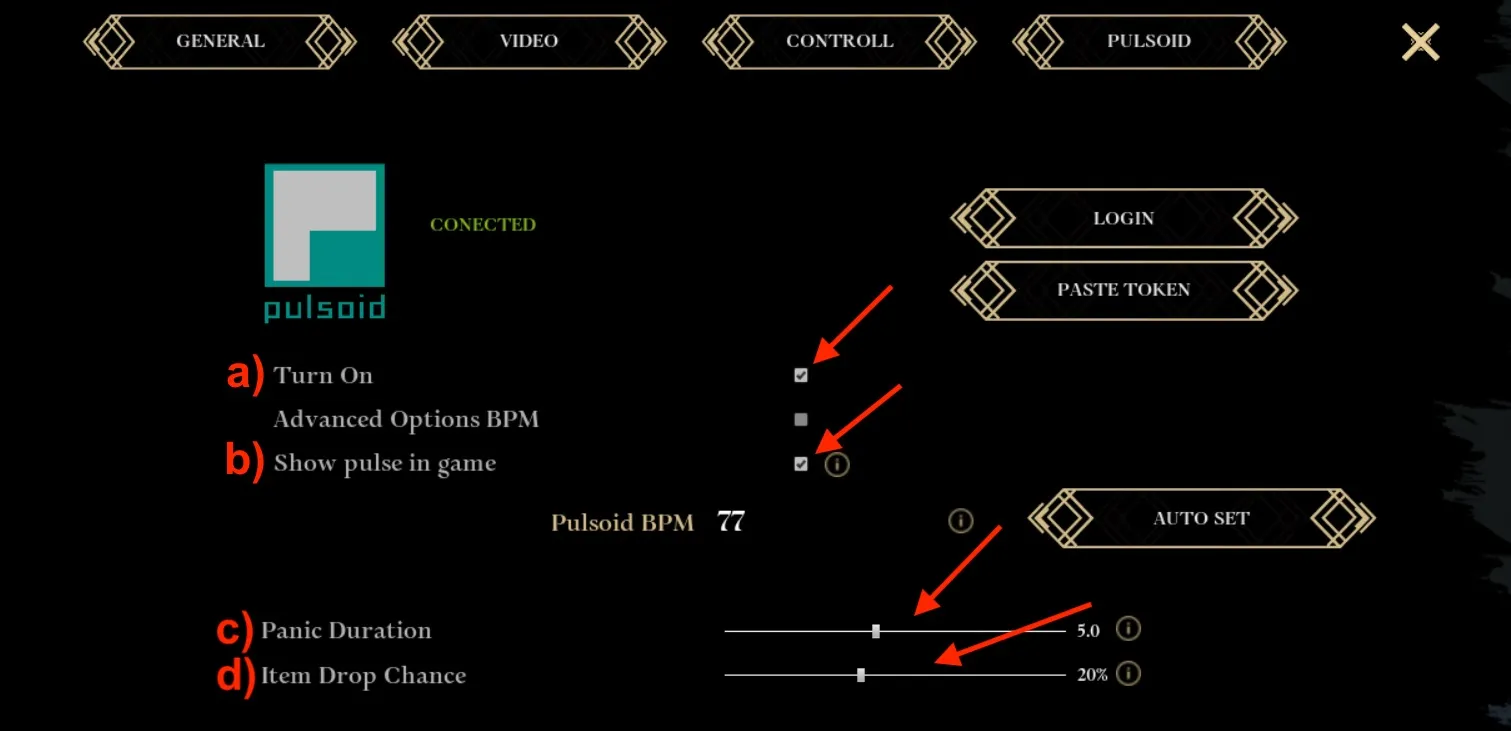
Adjust the additional settings to your liking:
- Turn On: toggle this to enable the Pulsoid integration in the game.
- Show pulse in game: check this to see your live heart rate on screen while you play.
- Panic Duration (seconds): how long the panic state lasts once your heart rate hits Max Pulse.
- Item Drop Chance (%): the chance that an item you are holding will drop when your heart rate hits Max Pulse.
Once connected, the game reacts to your heart rate in real time, turning every scary moment into a personal experience.
Pilgrim of Darkness transforms your real emotions into gameplay, showing that fear isn’t just for viewers, because it can change what happens in the game itself.
It’s a perfect example of how biofeedback mechanics make horror games even more immersive and more fun to watch on stream.