How to show heart rate on stream using Fitbit Air
Yes, you can use Google Fitbit Air as a heart rate monitor for streaming. Once you turn on heart rate sharing, Fitbit Air works like a regular Bluetooth (BLE) heart rate monitor, so the free Pulsoid app for iPhone, Android, and Windows can connect to it. From there, you can show your BPM on Twitch, YouTube, Kick, TikTok Live, in VRChat, or in Geometry Dash with the GDPulse mod.
This guide shows how to turn on heart rate sharing in the Google Health app and connect Fitbit Air to Pulsoid in a few minutes.
What you need
- Fitbit Air, set up in the Google Health app
- The free Pulsoid app for iPhone, Android, or Windows
- A free Pulsoid account
You don’t need to install anything on Fitbit Air itself. If you use the Windows app, your PC needs built-in Bluetooth or a USB Bluetooth adapter.
How to connect Fitbit Air to Pulsoid
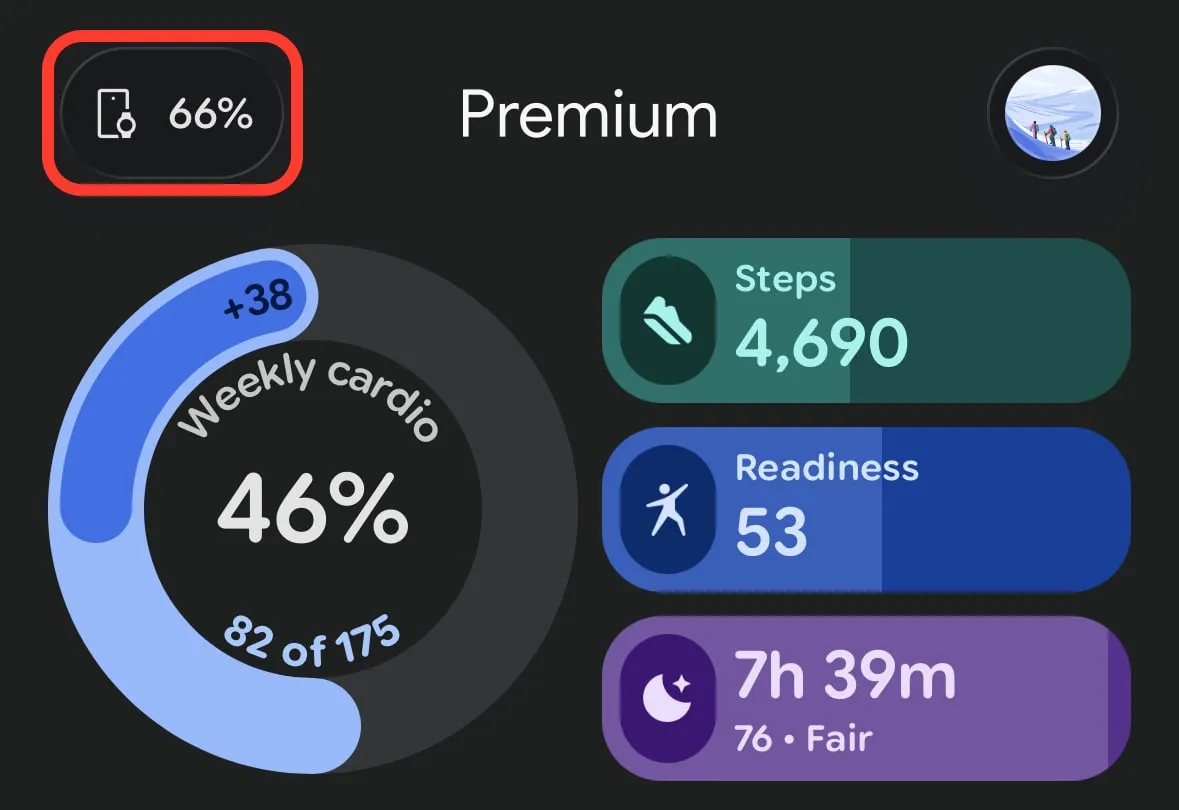
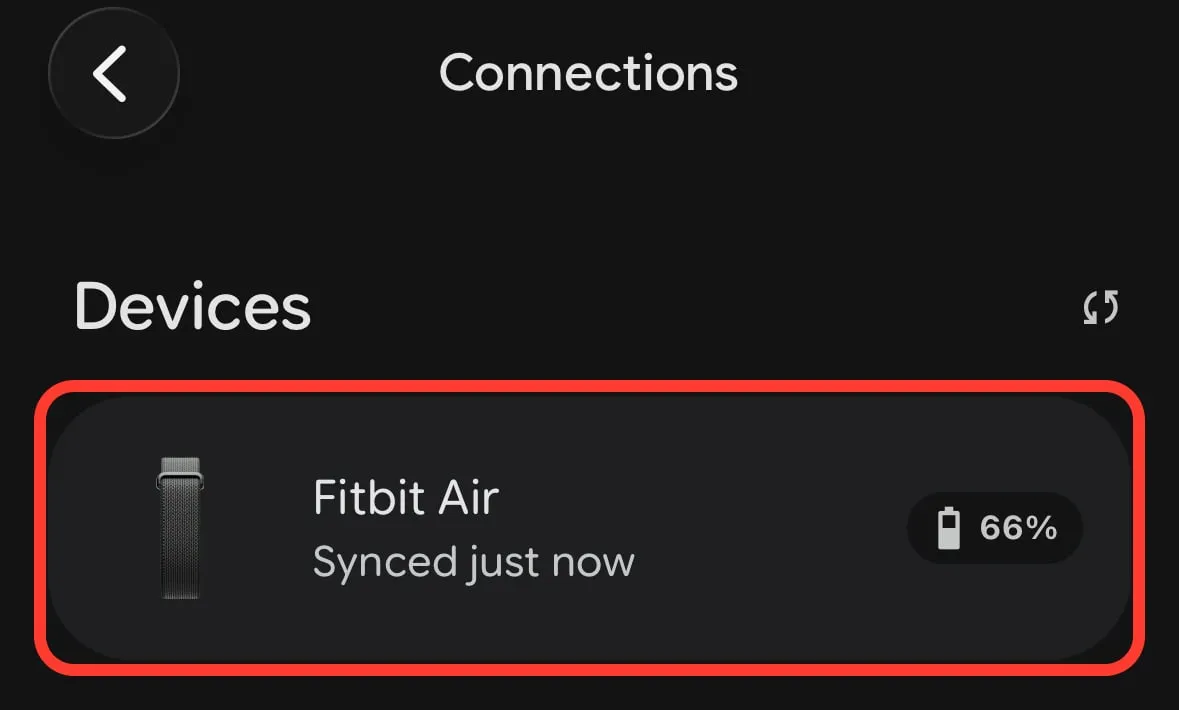
- Open the Google Health app and tap the device button in the top left corner. It shows your Fitbit Air battery level.
- Under Devices, tap Fitbit Air.
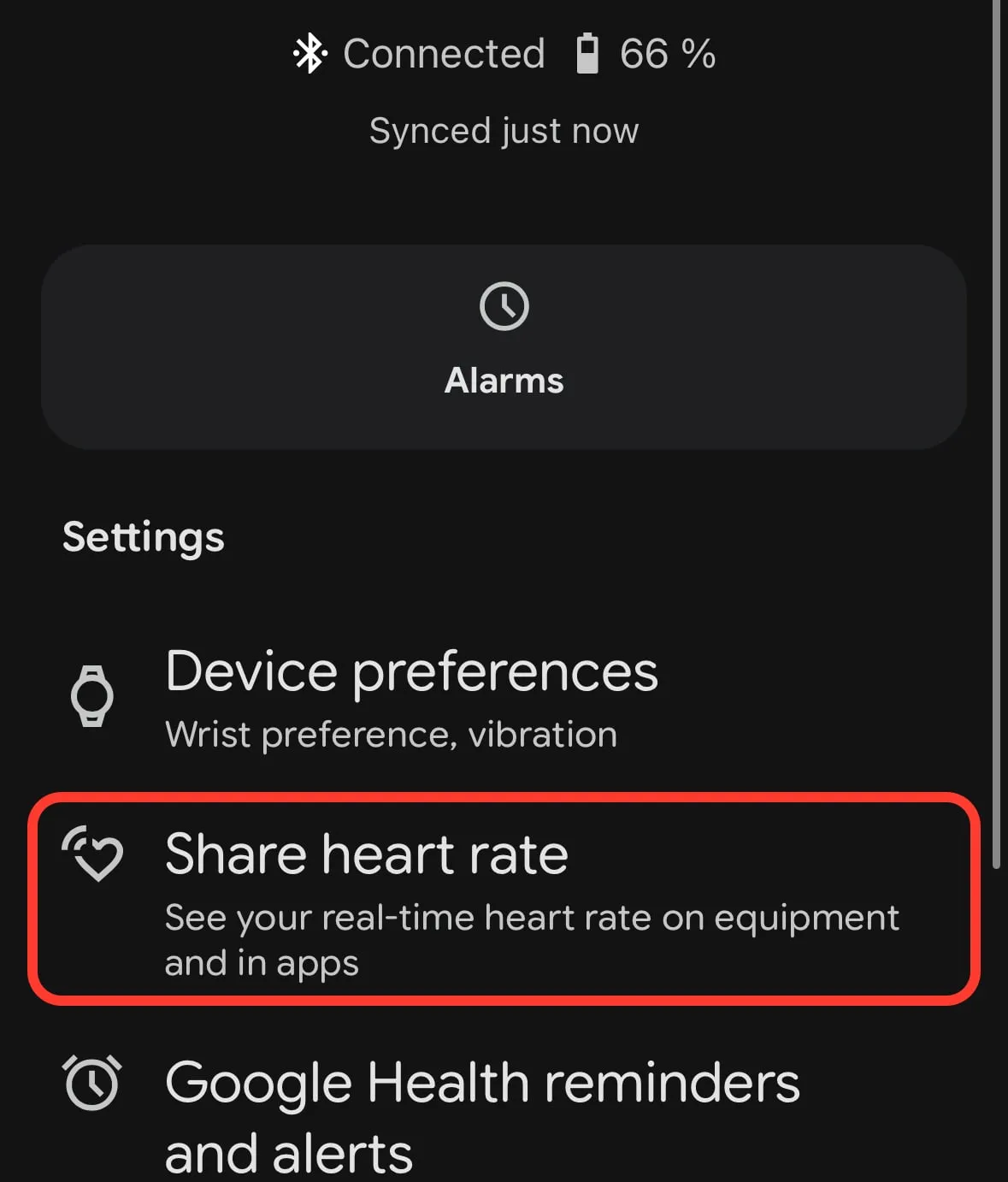
- In Settings, tap Share heart rate.
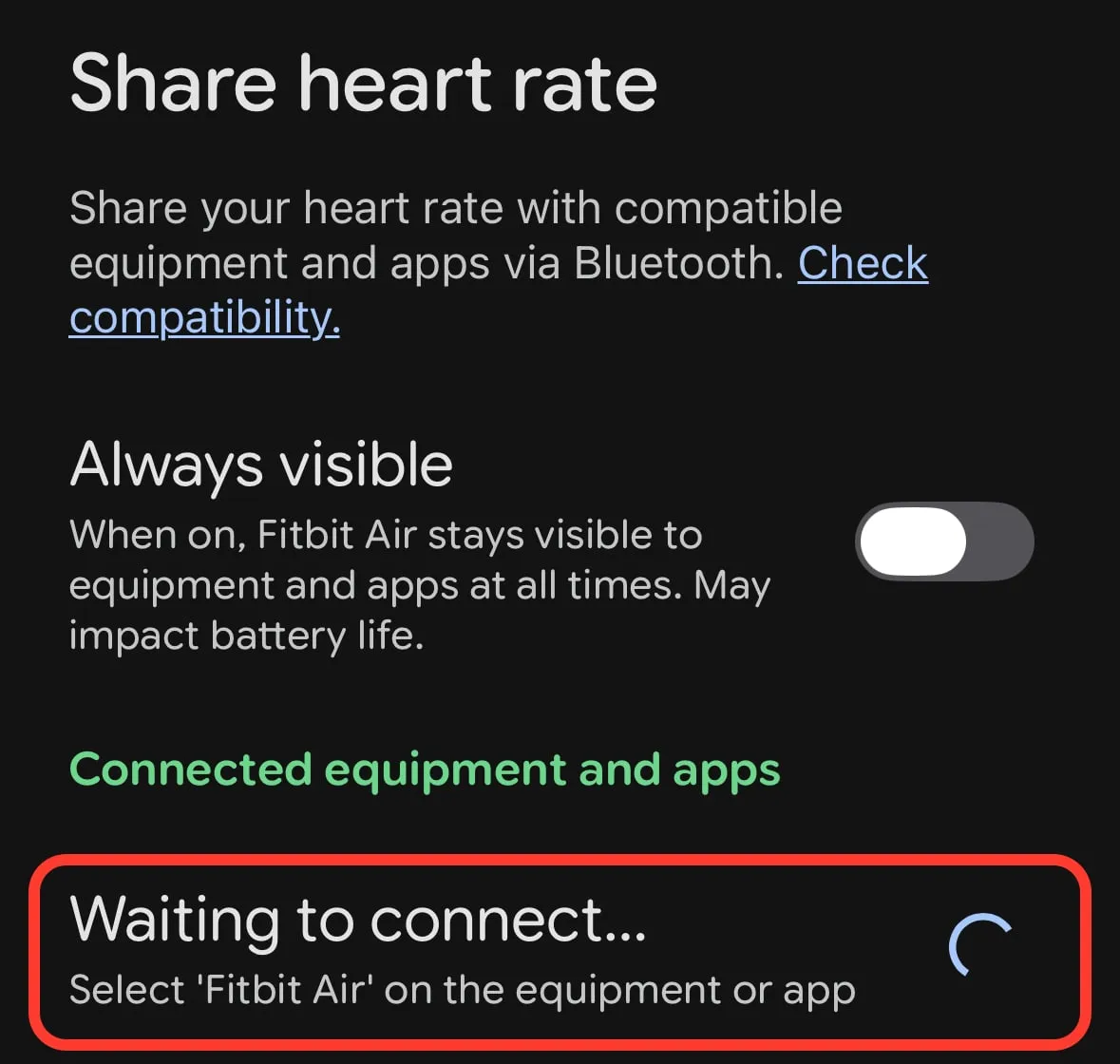
- Fitbit Air now shows “Waiting to connect”. Keep this screen open and switch to the Pulsoid app.
-
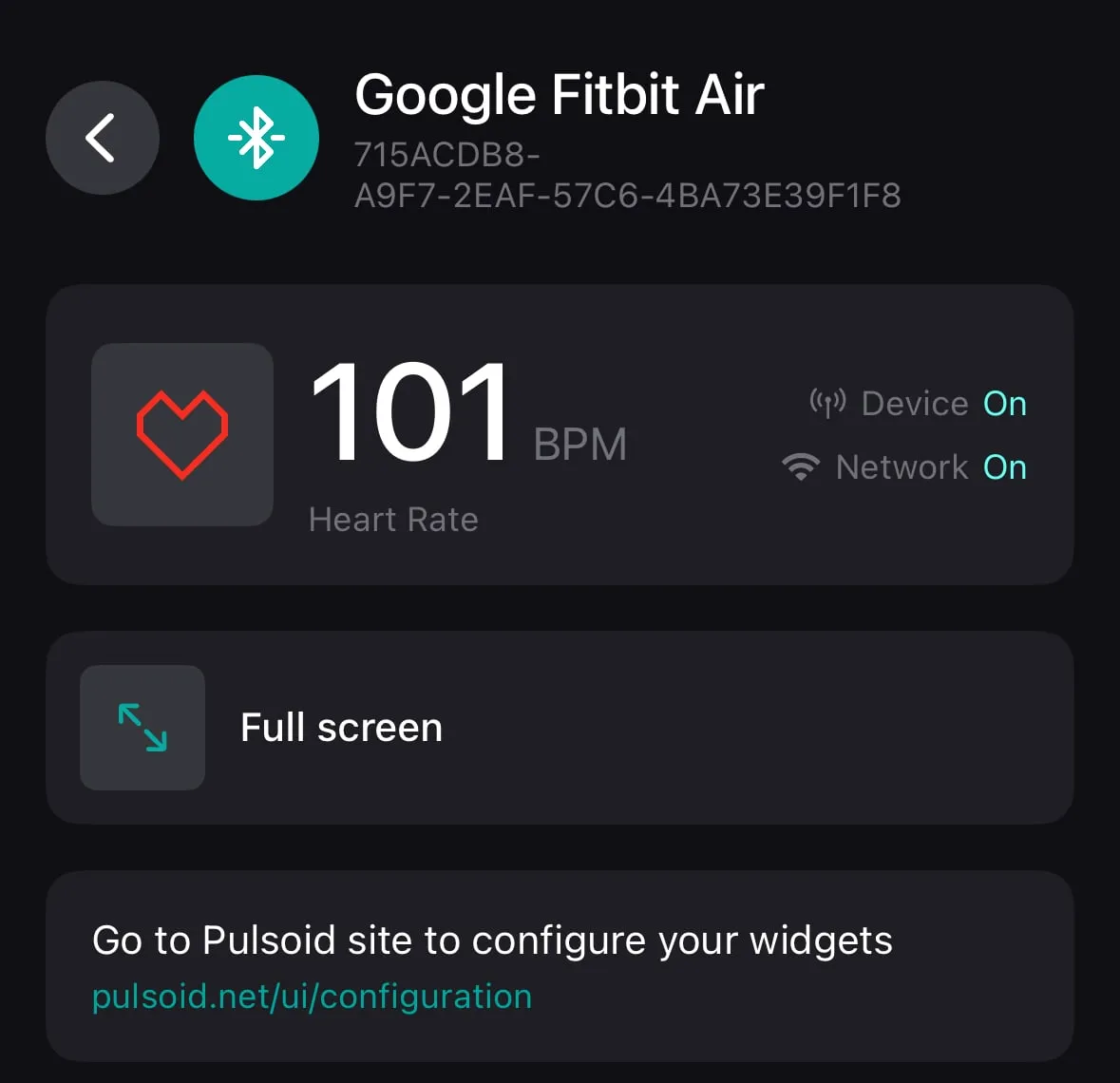
Open the Pulsoid app on your phone or Windows PC and select Google Fitbit Air from the list of heart rate monitors.
-
Wait a few seconds. When Pulsoid shows your BPM, Fitbit Air is connected.
In Google Health, the connected device now appears under “Connected equipment and apps” with the status “Sharing heart rate”.
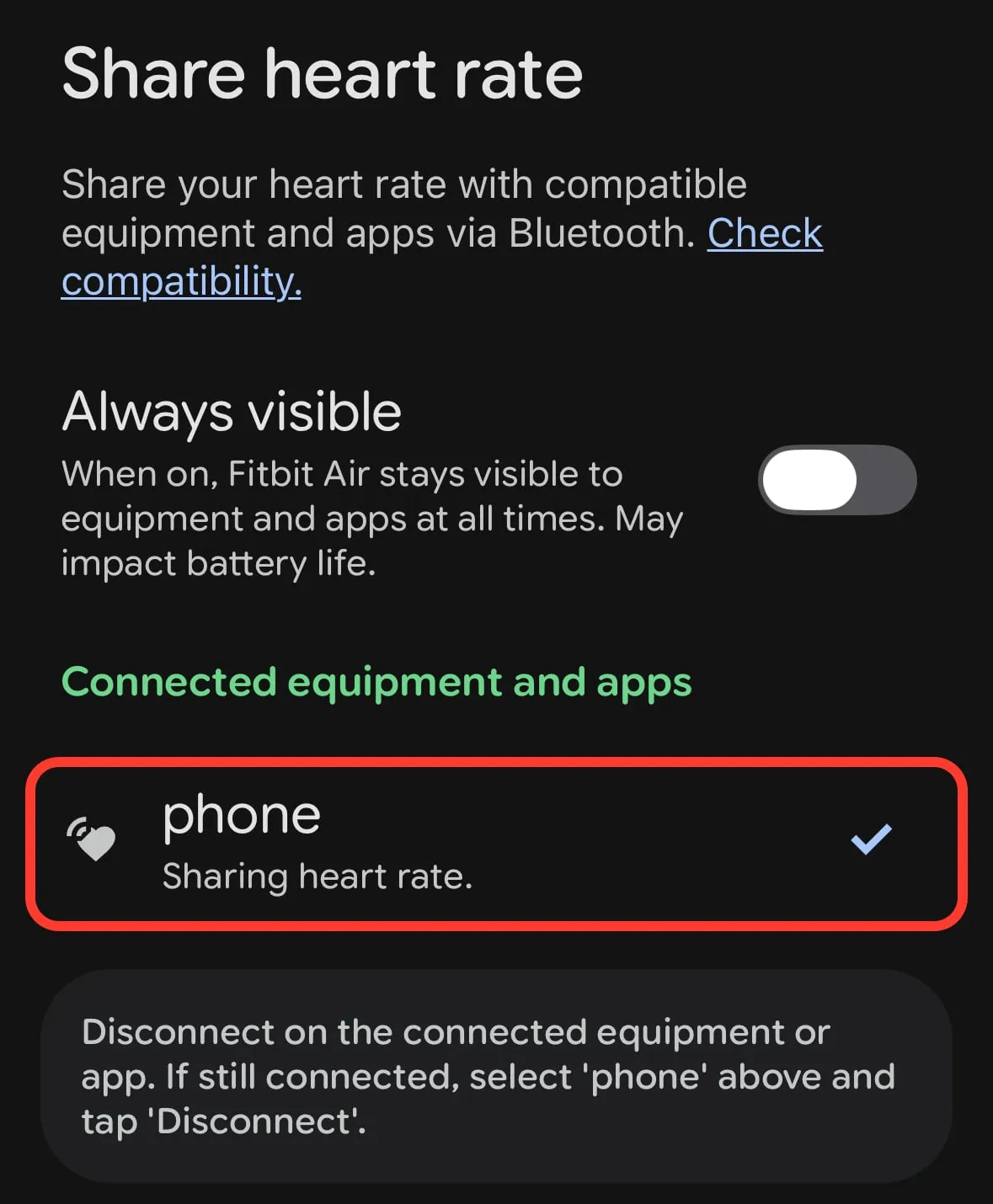
Tip: With “Always visible” turned off, open the Share heart rate screen each time you want to connect. Turn it on if you want Fitbit Air to stay visible to Pulsoid at all times. Google notes this may impact battery life.
Add your Fitbit Air heart rate to your stream
Once Fitbit Air is connected, your heart rate works with every Pulsoid feature, just like with any other heart rate monitor:
- Configure your widget and add it as a browser source in OBS, Streamlabs, Meld, or other streaming software
- Add it to TikTok Live Studio
- Use the Pulsoid Twitch Extension
- Show it in VRChat with Pulsoid Desktop OSC or other VRChat tools
- Show it in Geometry Dash with the GDPulse mod
How to stop sharing your heart rate
Disconnect Fitbit Air in the Pulsoid app. If Google Health still lists the device under “Connected equipment and apps”, tap it and choose Disconnect.
Tips for accurate readings
- Wear Fitbit Air on top of your wrist, just behind the wrist bone.
- Keep the band snug so the sensor stays in contact with your skin, but not so tight that it’s uncomfortable.
- Keep your phone or PC close to you while you stream, because your heart rate travels from Fitbit Air over Bluetooth.
Is Fitbit Air good for heart rate streaming?
Fitbit Air is a good choice if you already own one. Like other wrist trackers, it uses an optical sensor, so it can lag behind fast changes, such as a jump scare in a horror game.
If you’re buying a device just for streaming, a chest strap is more accurate and more responsive. Check out the list of heart rate monitors that work best with Pulsoid.
FAQ
Does Fitbit Air work with Pulsoid?
Yes. Turn on Share heart rate in the Google Health app, then select Google Fitbit Air in the Pulsoid app for iPhone, Android, or Windows.
Can I use Fitbit Air with Pulsoid on a PC?
Yes. With heart rate sharing on, Fitbit Air connects to the Pulsoid Windows app directly over Bluetooth, just like any other BLE heart rate monitor. You don’t need the Pulsoid phone app for this, only the Google Health app to turn on sharing.
Do I need to install a Pulsoid app on Fitbit Air?
No. Fitbit Air has no screen and no app gallery. It shares your heart rate over Bluetooth, and the Pulsoid app on your phone or PC receives it.
Can I show my Fitbit Air heart rate in Geometry Dash?
Yes. Connect Fitbit Air to Pulsoid, then set up the GDPulse mod to see your BPM during gameplay.
Why can’t Pulsoid find my Fitbit Air?
Make sure Bluetooth is on and that the Share heart rate screen in Google Health is open and shows “Waiting to connect”, or turn on “Always visible”. If it still doesn’t show up, check our troubleshooting guide.
Does this work with older Fitbit watches?
Older Fitbit watches like Versa, Sense, and Charge 6 use a different setup. See Pulsoid x Fitbit for details.
If you run into any issues, reach out to us on Discord or email us at support@pulsoid.net