Pulsoid Cloud: Show Heart Rate from Wear OS or Fitbit on Android App
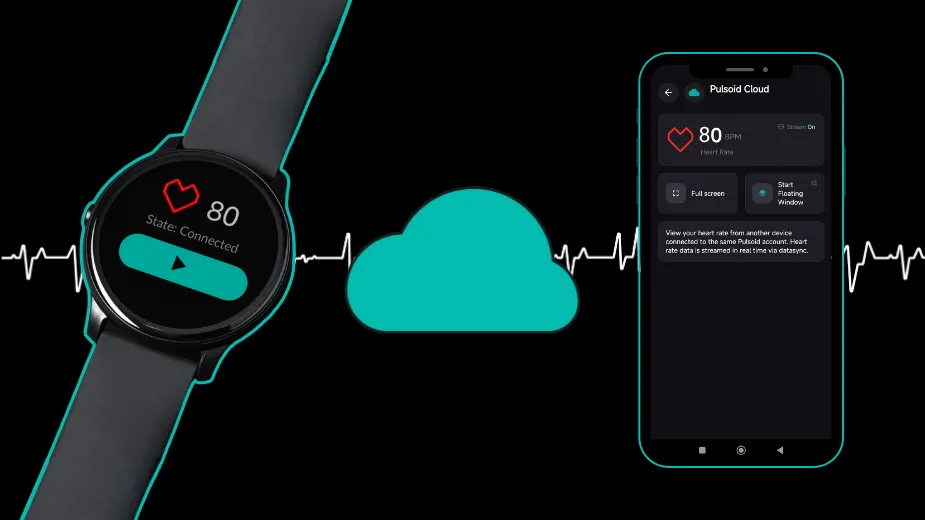
Pulsoid Cloud is a feature that lets you sync your heart rate between Pulsoid apps on different devices using the cloud. It’s available in the Pulsoid Android and Windows apps.
This is especially useful if you use smartwatches like Apple Watch, Wear OS, or Fitbit, as it helps you unlock all Pulsoid mobile app features, including the Floating Window.
Pulsoid Cloud is also helpful if your device only works with the mobile app, but you still want to see your heart rate in the desktop app.
Note: Make sure you use the same Pulsoid account and login method on all your devices.
How to Set Up Pulsoid Cloud
Pulsoid Cloud can be useful if you use the Pulsoid app on an Apple Watch, Wear OS, or Fitbit device. In this case, your heart rate is only available in the app on your watch and doesn’t appear in the Pulsoid mobile app. Because of this, you couldn’t use the Floating Window feature in the Pulsoid Android app. But now this limitation is gone.
- Open the Pulsoid app on your source device (Wear OS, Fitbit, etc.) and start streaming your heart rate.
- Open the Pulsoid Android app on your phone.
- Open the left-side menu and tap Pulsoid Cloud.
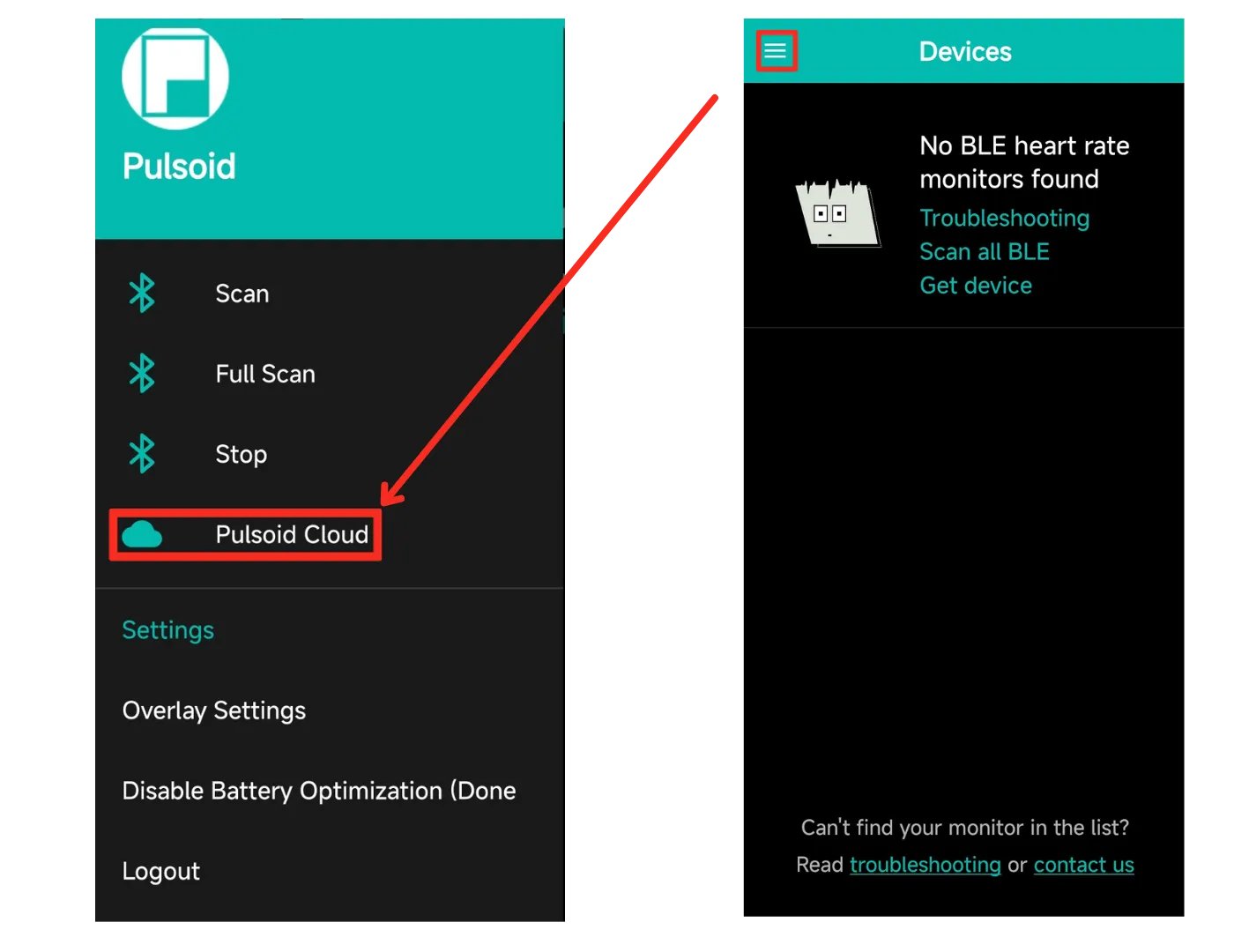
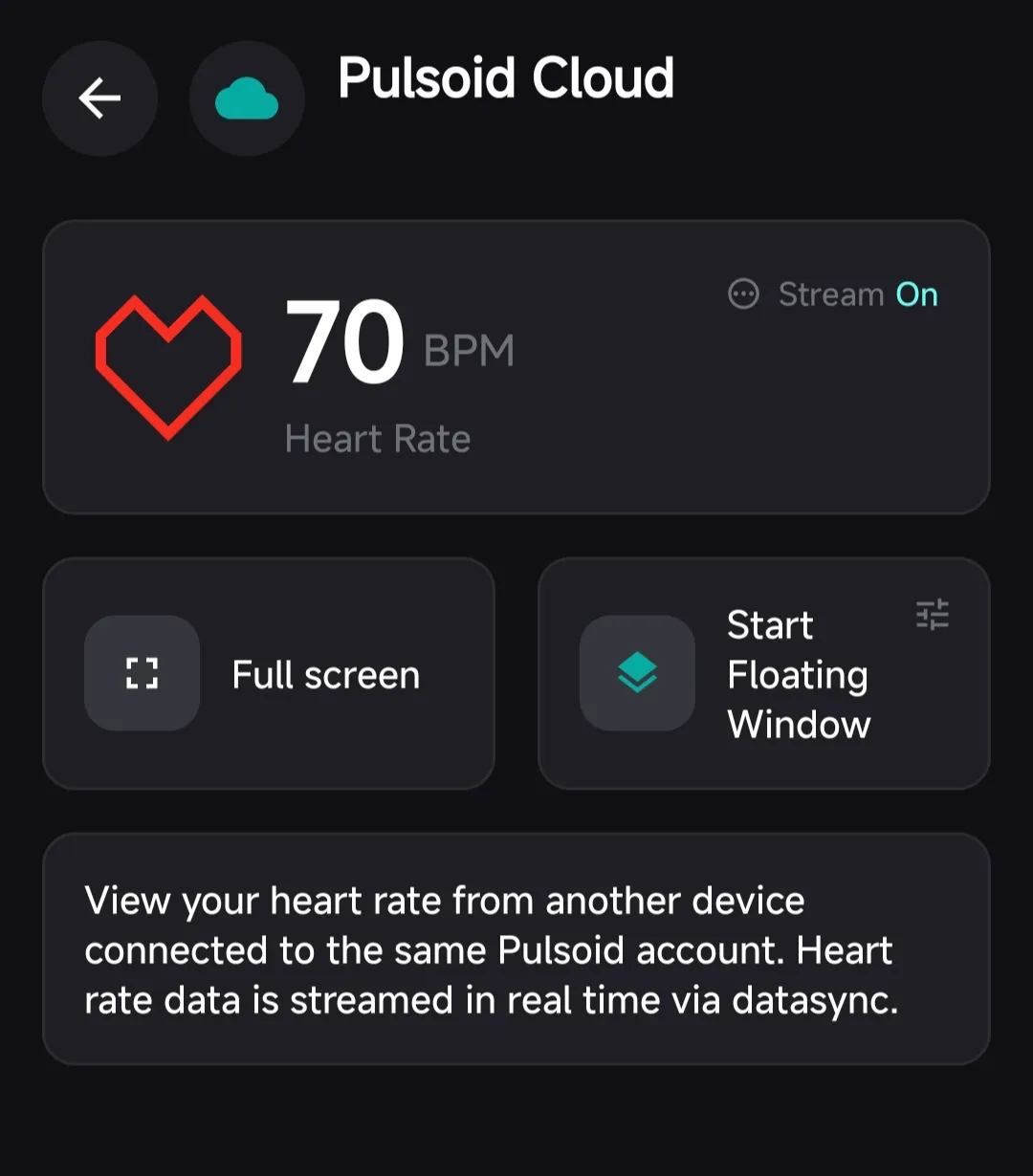
- Your heart rate should now appear in the Android app.
How to Set Up Pulsoid Cloud in the Desktop App
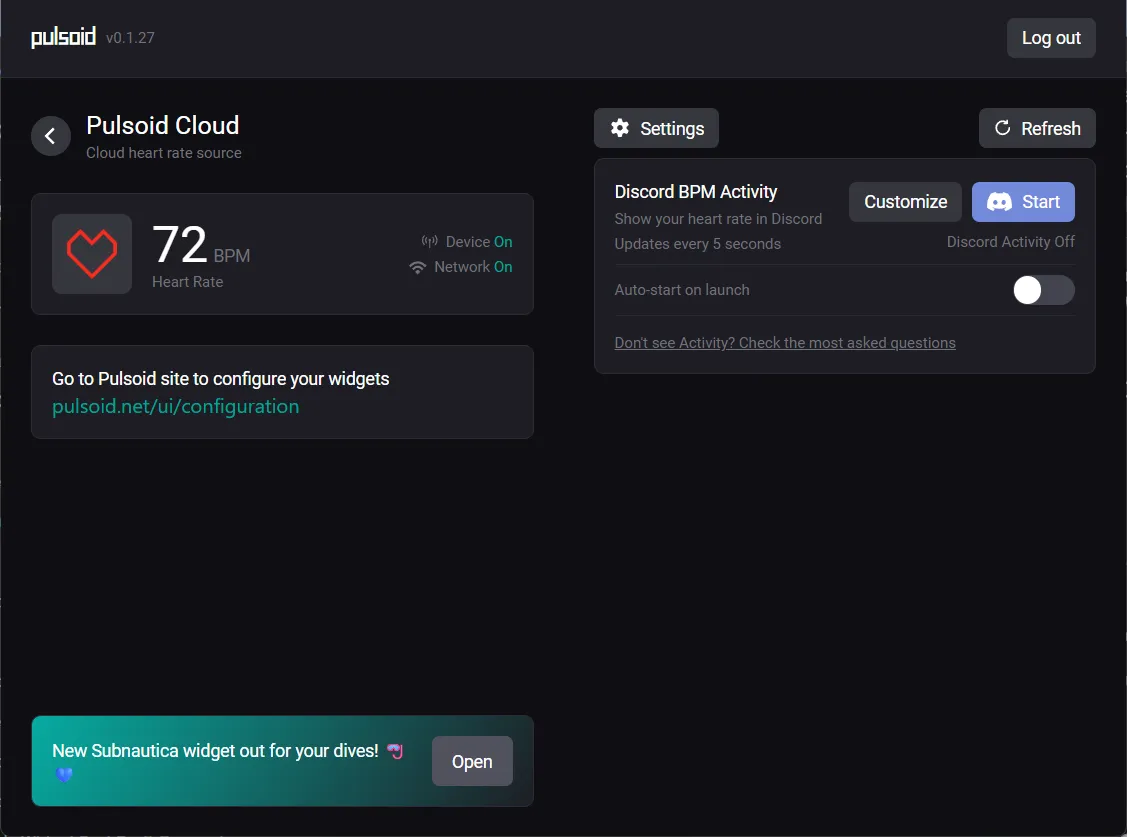
If you can’t connect your heart rate device directly to the desktop app, you can connect it to the Pulsoid mobile app instead and send your heart rate to the desktop app through Pulsoid Cloud. This also means you can use the Discord BPM Activity feature in the desktop app.
- Open the Pulsoid app on your source device:
- Open the Pulsoid Windows app.
- Tap Use Pulsoid Cloud.
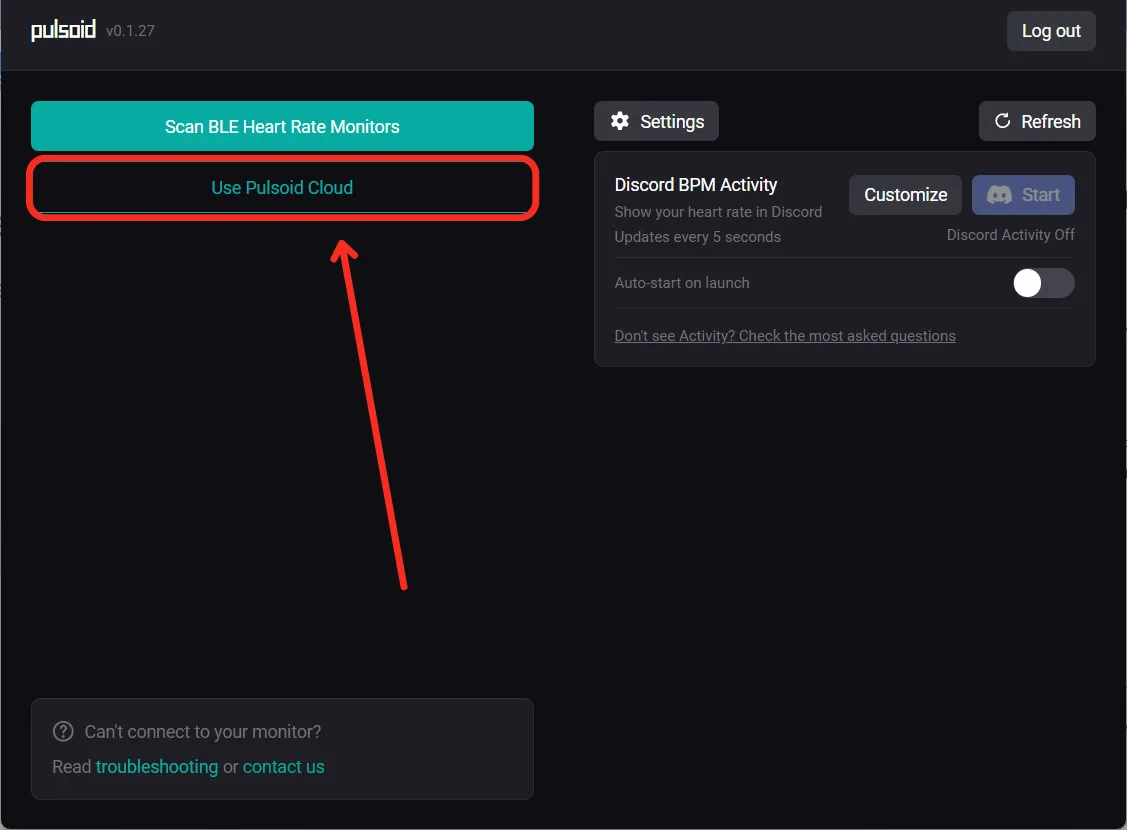
Done! Now you can see your heart rate in the desktop app.
We added this feature based on requests from our users. If you have your own ideas or questions, let us know on Discord.