How to Set a Custom URL for Your Heart Rate Widget
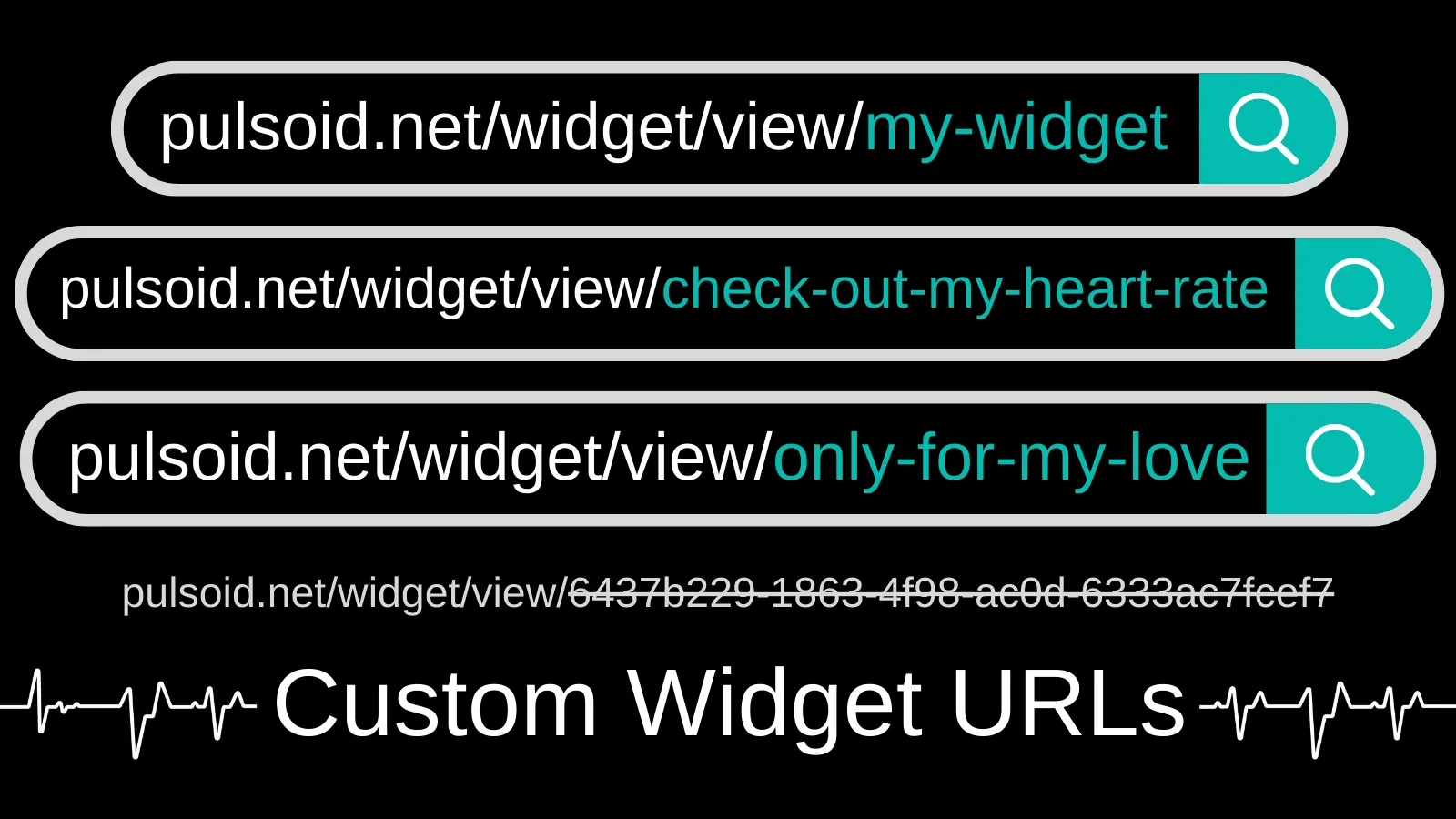
Sharing your Heart Rate widget URL with friends isn’t very convenient when it’s just a long string of letters and numbers.
Our Discord community asked for personalized URLs, so we added them!
Now you can create a custom URL for any Pulsoid widget. It can be anything—from your username to a fun message for your friends—up to 50 characters.
How to Set a Custom URL for Your Heart Rate Widget
Before you start, make sure you have a Pulsoid account and use a compatible heart rate monitor.
Need help? Check the setup guide.
- Open the Widgets page.
- Select a widget to configure, or choose a new one from the library.
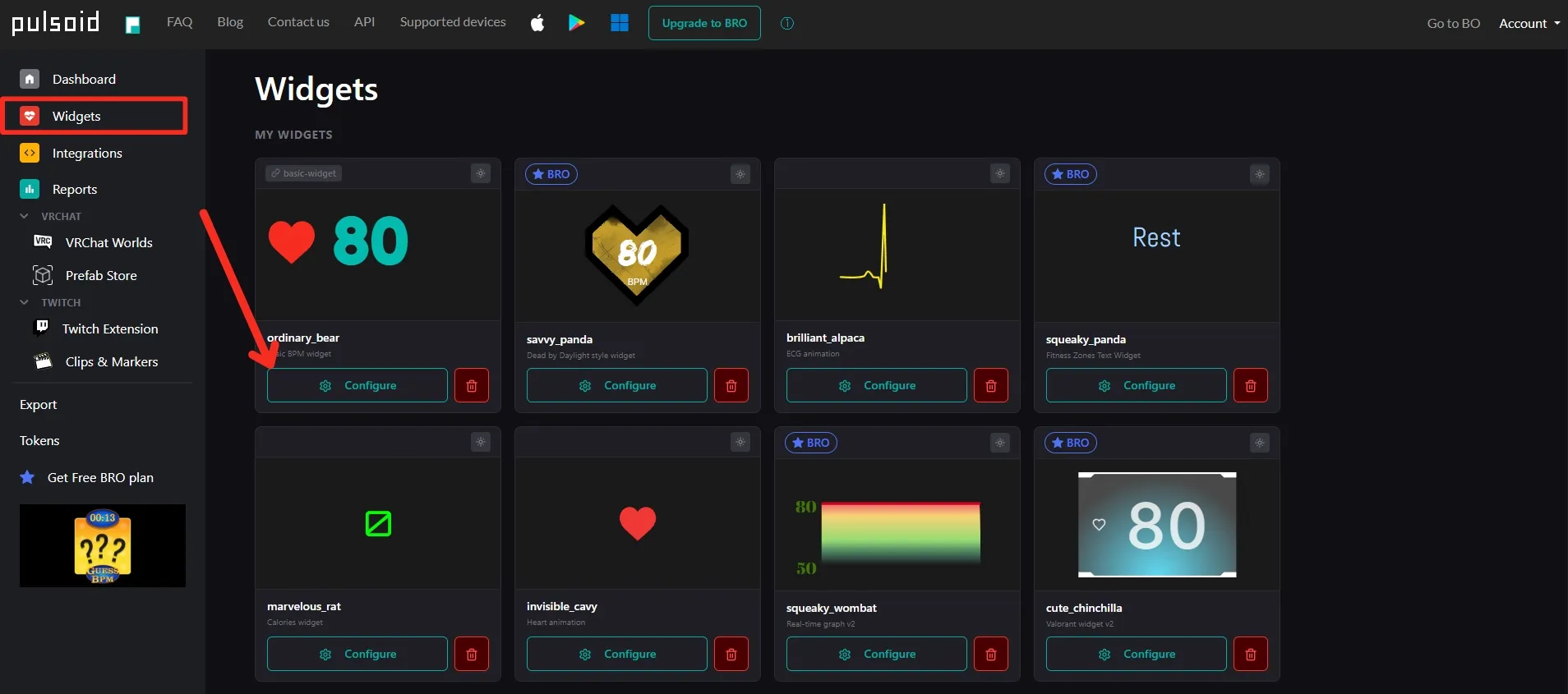
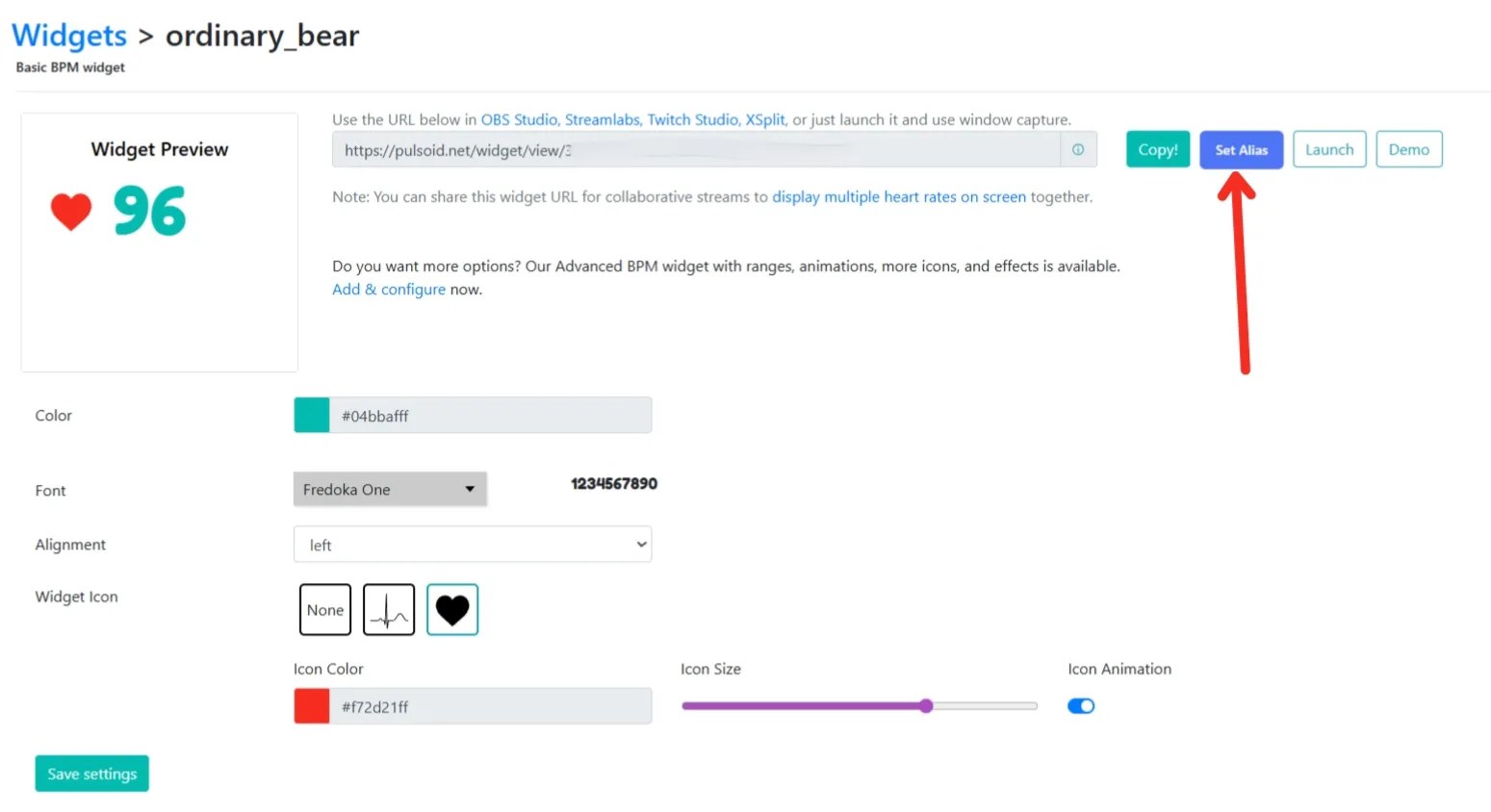
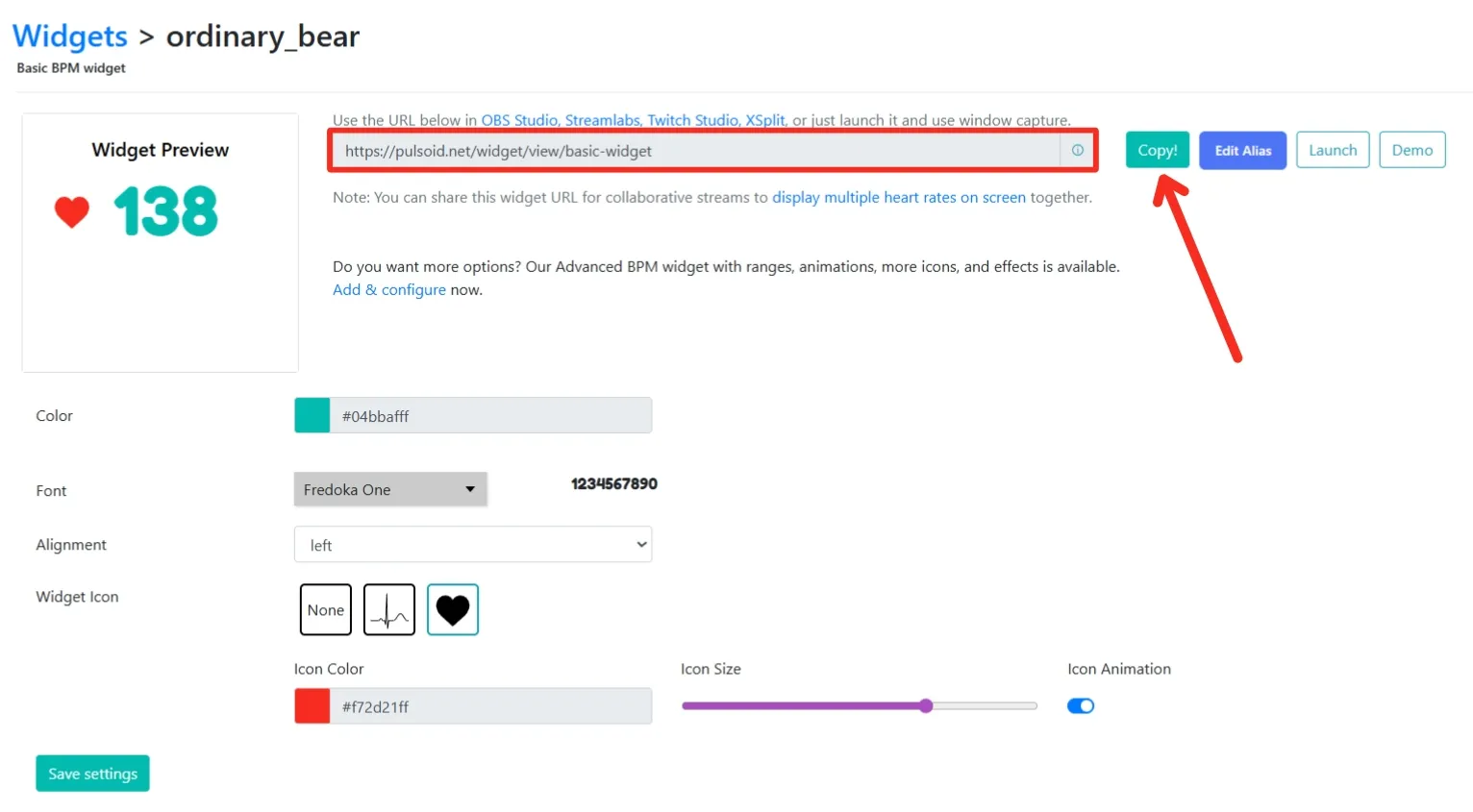
- On the widget configuration page, click Set Alias.
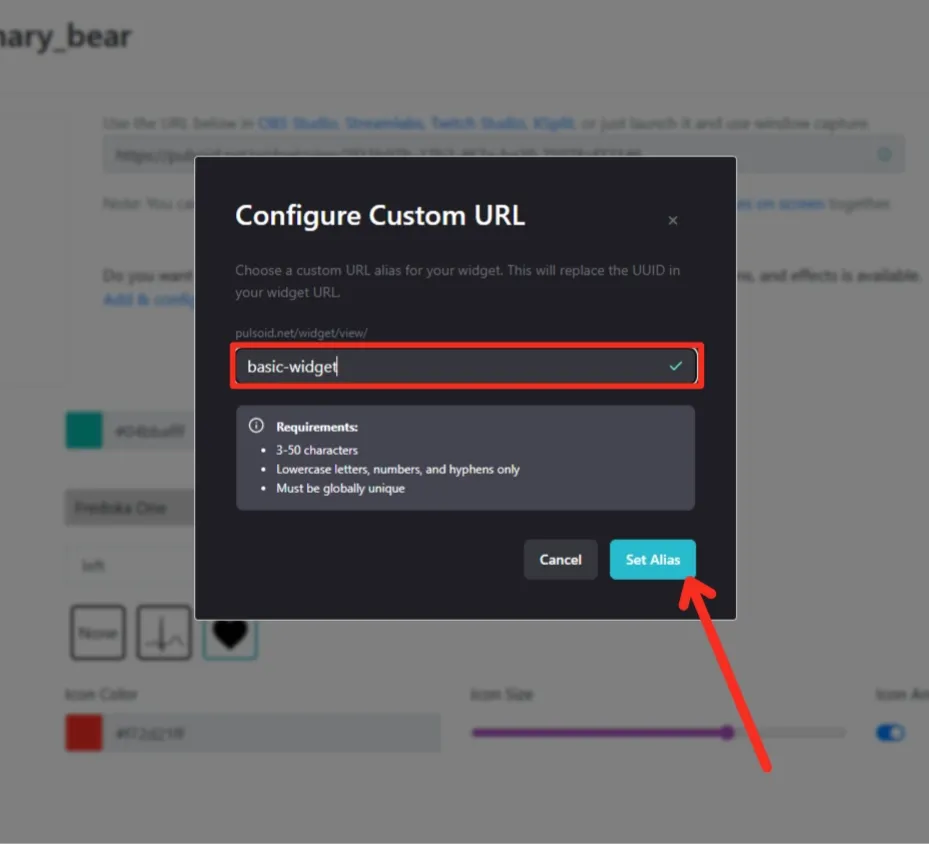
- Enter your custom URL and click Set Alias again.
Done! Your Custom Widget URL is ready. You can edit or remove your URL at any time by clicking Edit Alias.
Now copy your Custom Widget URL and add it to OBS, Streamlabs, Meld Studio, or share it with your friends.
Got any feature ideas? Just reach out to us on Discord.