ARC Raiders Heart Rate Widget for Streaming

The ARC Raiders heart rate widget lets you show your real-time reactions on stream. The surface is full of danger, and every run or sudden fight can make your pulse jump. Now your viewers can see it happen live. This BPM widget, inspired by the game’s sci-fi style, adds extra tension and makes your Twitch stream more immersive.
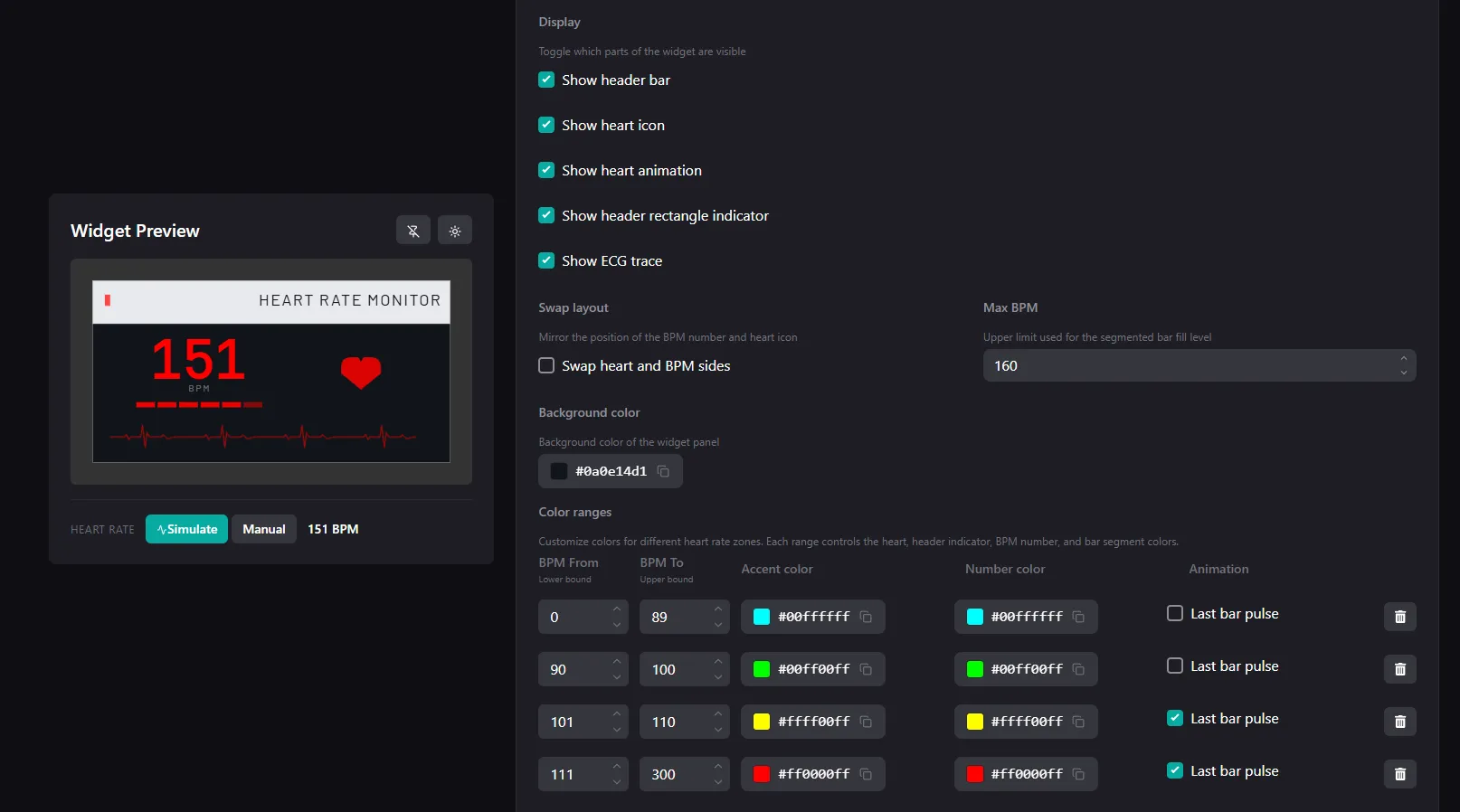
You can customize the widget to match your style:
- Set BPM-based color ranges for real-time heart rate changes
- Change the background color
- Adjust the layout by showing or hiding parts like the heart icon or ECG line
How to Add the ARC Raiders Heart Rate Widget to Your Stream
- Make sure you have a supported device
- Create an account on pulsoid.net
- Download the Pulsoid app to your iOS or Android smartphone

- Put on your heart rate monitor, open the app, and select it from the list. If you have trouble connecting, check the troubleshooting guide
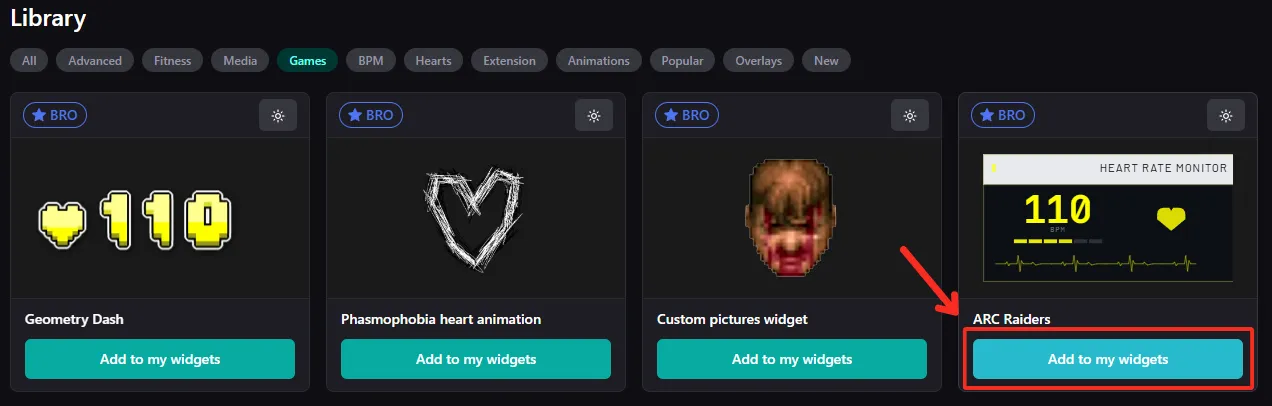
- Add the ARC Raiders widget or find it in the Widget Library
- Customize the widget and click “Save settings”
- Copy your widget URL
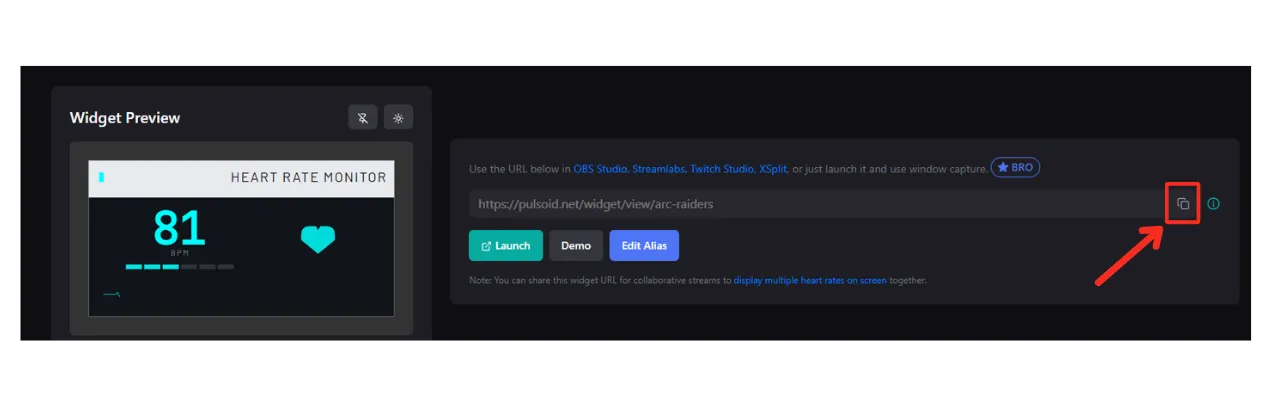
Tip: You can also create a custom URL for your widget
- Add this URL as a Browser Source in OBS, Streamlabs, XSplit, Wirecast, or other streaming software
You’re all set! Stream ARC Raiders and show your heart rate live to make your content more engaging and immersive.