Subnautica Styled Heart Rate Widget

Subnautica 2 launches in Early Access on May 14, and if you plan to stream it, adding a heart rate widget can make your content even more engaging. While Subnautica isn’t a traditional horror game, its deep-sea exploration and unexpected encounters can still be terrifying.
The Subnautica heart rate widget lets viewers see your real-time reactions during intense moments while matching the game’s style perfectly.
How to add the Subnautica heart rate widget on stream:
- Make sure you have a supported device
- Create an account on pulsoid.net
- Download the Pulsoid app to your IOS or Android smartphone, or download the Windows app
- Put on your heart rate monitor, open the app, and connect your device.
If you run into any issues, check out our troubleshooting guide. If you use the desktop app, check the desktop setup guide as well.
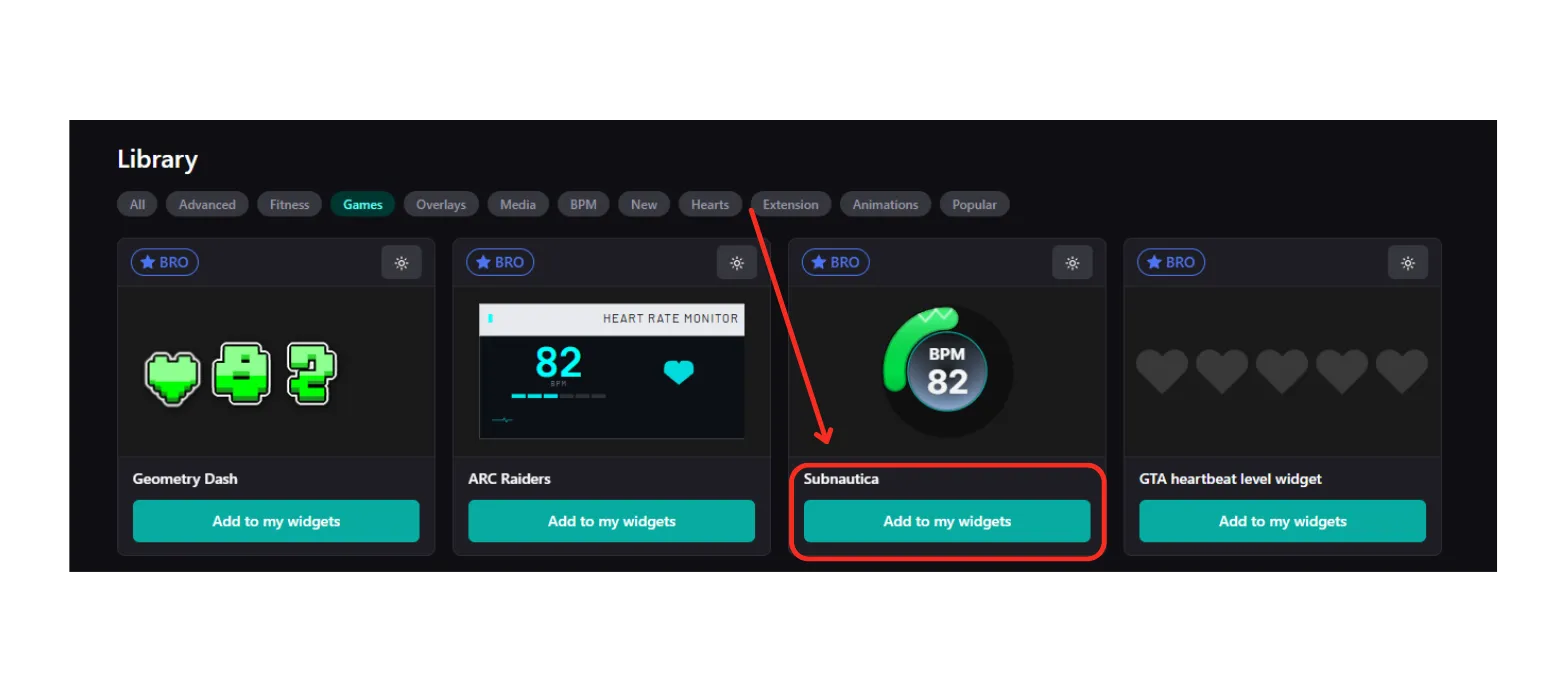
- Add the Subnautica heart rate widget or find it in the Library in the Widgets page
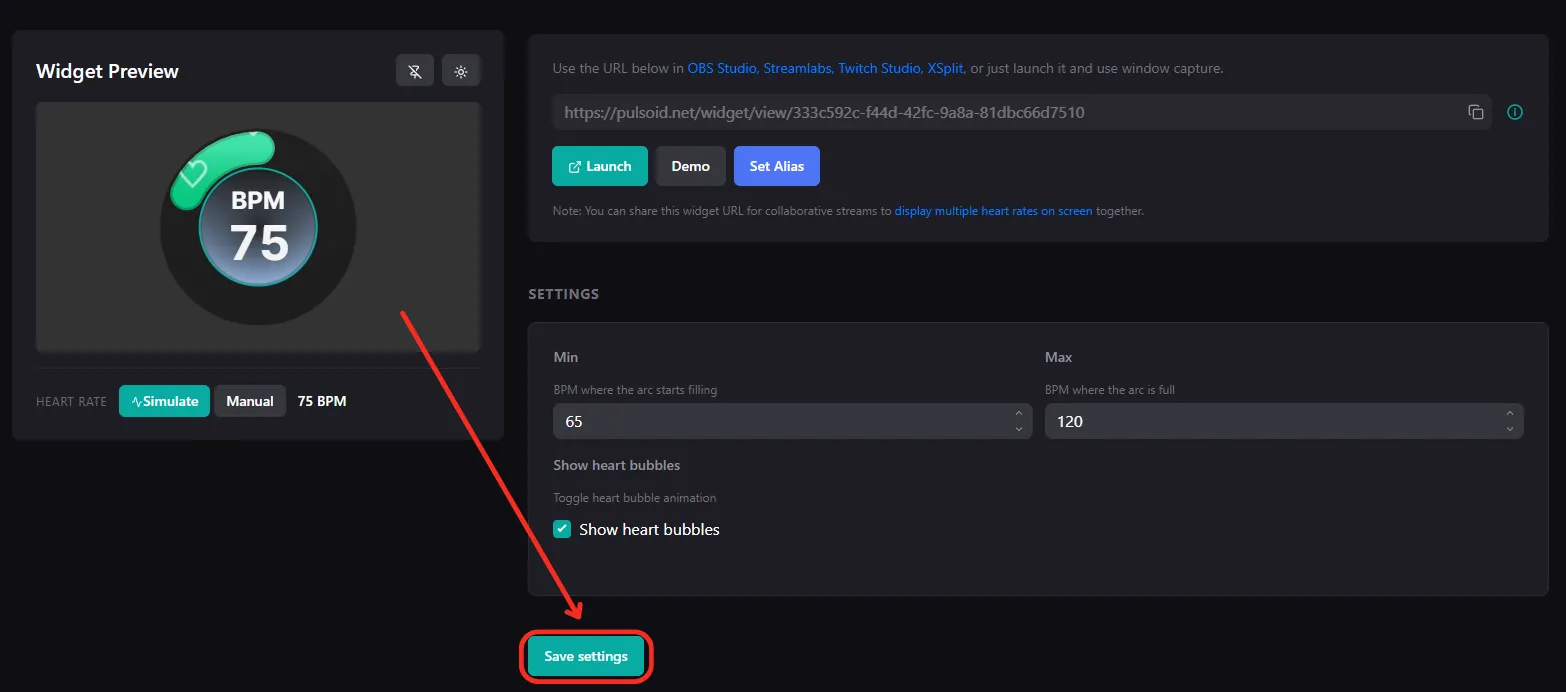
- Adjust the Min BPM and Max BPM values to control how the arc fills based on your heart rate. Don’t forget to click “Save settings”
- Copy your widget’s URL
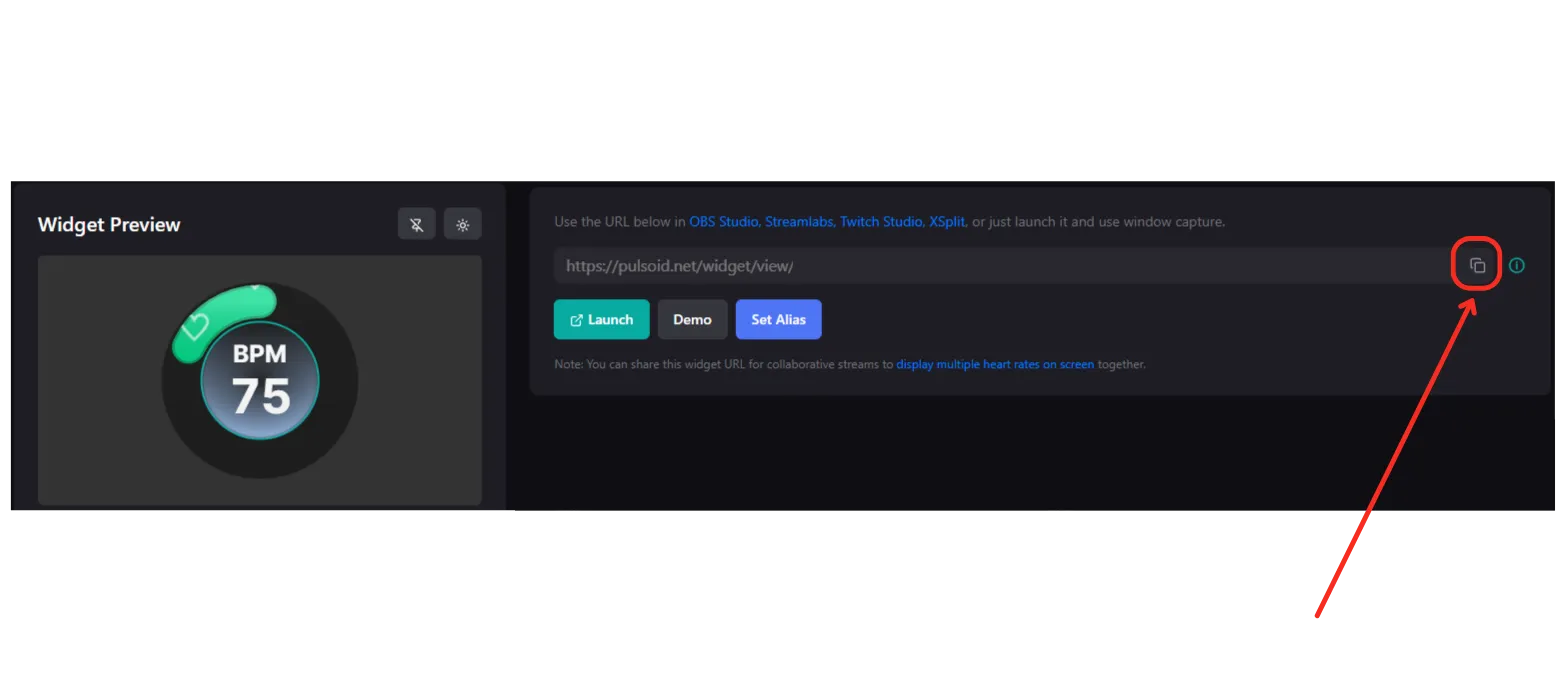
Tip: You can also set up a custom widget URL if you want.
- Add this URL as your Browser Source in OBS.
That’s it! Now you’re ready to stream Subnautica 2 with a more immersive heart rate experience for your viewers.